What is conversational AI?
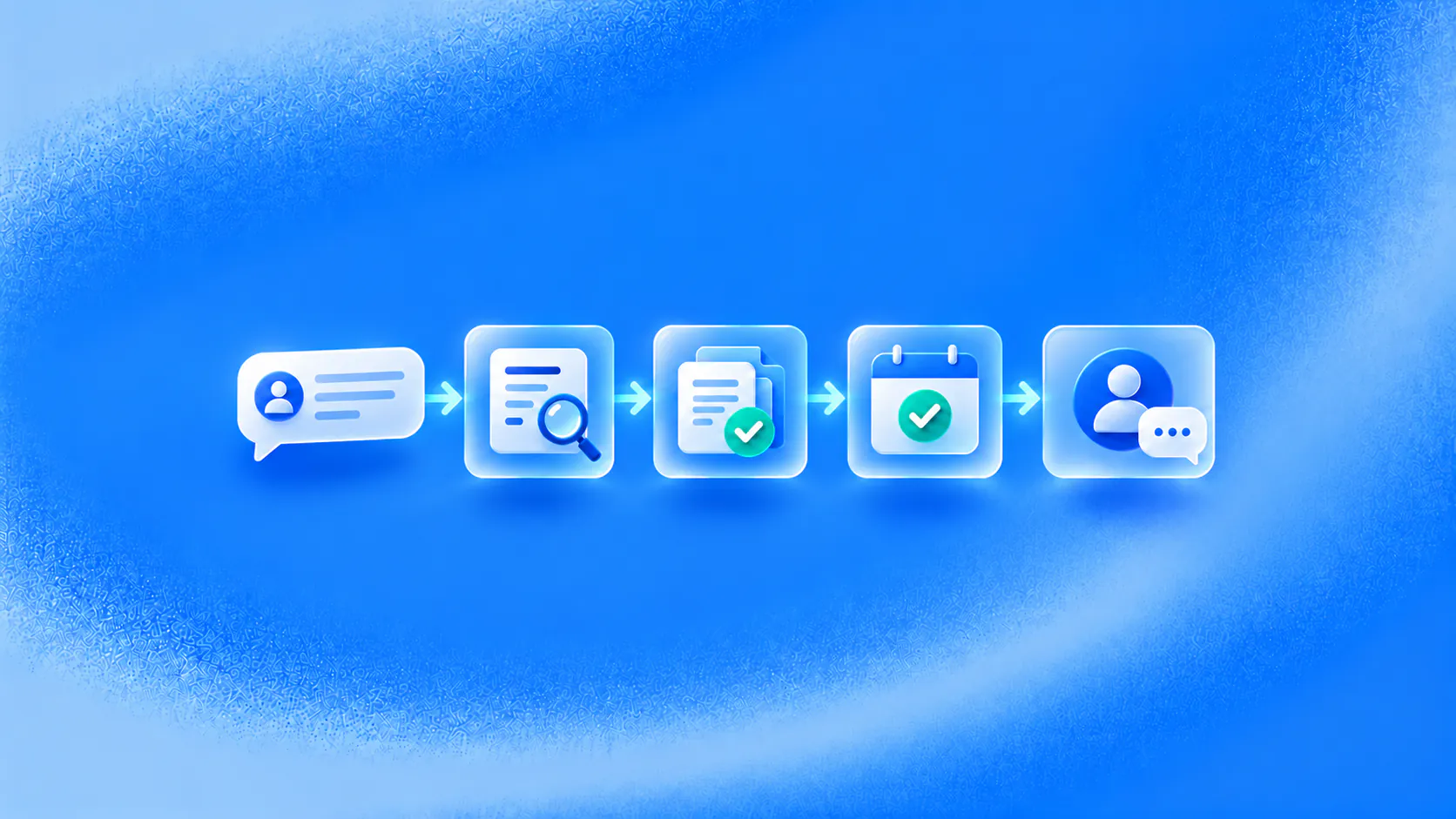
Conversational AI is technology that lets software understand and respond to spoken or written language. In business, it can also use approved knowledge, collect information, start permitted workflows and hand a conversation to a person when the request needs human judgment.
Key takeaways
- Conversational AI combines language understanding, context, knowledge and response generation so people can interact with software through text or speech.
- A useful business system needs more than a fluent answer. It needs clear knowledge sources, permissions, workflow states and a human handoff path.
- Chatbots, voice assistants and conversational agents are interface types. Their real capability depends on what knowledge, tools and operating rules sit behind them.
- Start with one frequent customer task that has a defined outcome, reliable source information and a safe exception path.
What is conversational AI?
Conversational AI is software that understands everyday language and responds through text or voice. Instead of forcing someone to select a menu item or use an exact command, it can interpret what the person is trying to do, keep track of the exchange and choose an appropriate response.
The category includes AI chatbots, messaging assistants, voice bots and virtual assistants. Some answer questions from an approved knowledge base. Others collect customer details, check a connected system, begin a booking or support workflow, and involve a person when the request falls outside their authority.
AWS defines conversational AI around understanding and responding to human language. IBM’s overview describes the related stages of input processing, dialogue management and response generation. For business use, those capabilities need an operational layer: reliable source information, clear permissions, connected tools and a human owner for exceptions.
That is why conversational AI is broader than a large language model. A model may interpret a loosely worded request and draft a natural answer. It does not automatically know which company policy is current, whether a booking actually succeeded or which actions the business has authorised.
Related must-read articles
- Conversational AI for appointment booking
- Conversational AI for lead qualification
- Conversational AI for customer support
- Conversational AI for clinics
- Conversational AI for real estate
- Conversational AI for ecommerce
- Conversational AI for automotive
Why do businesses use conversational AI?
Customer journeys often begin with an ordinary question: “Do you have a Saturday appointment?”, “Where is my order?”, “Which plan includes this feature?” or “Can someone help me change my booking?” Each question creates several tasks for the business—understand the request, find the right information, collect anything missing and move the customer to the next step.
Conversational AI helps teams manage that work across web chat, messaging, email and voice. It can answer routine questions when the team is occupied, gather details in a consistent format and preserve the conversation when a person needs to take over. Customers can explain what they need in their own words instead of navigating a long form or repeating the same information to several teams.
The practical value is not the appearance of a human conversation. It is a shorter path from a question to a useful outcome: an approved answer, a qualified enquiry, a confirmed booking, a status update or a handoff with the relevant details attached.
It still needs boundaries. A system should not guess when customer identity is uncertain, a source is missing or the request carries material financial, medical, legal or safety consequences. In those situations, the correct response is clarification or escalation—not a more confident sentence.
What are the main components of conversational AI?
A conversational AI system combines several technologies. Their names matter less than the job each one performs and the failure it must handle.
Natural language understanding
Natural language processing helps the system work with written or spoken language. It can identify the likely intent behind a message, extract details such as dates or product names, and recognise when information is missing. Good language understanding lets two customers ask the same question in different ways without requiring a separate rule for every sentence.
Interpretation is never perfect. Similar requests can lead to different workflows, and short messages may lack enough context. The system therefore needs a way to ask a precise follow-up question rather than choosing a path too early.
Machine learning and language models
Machine-learning models identify patterns in language and data. Modern conversational applications may use large language models to interpret varied wording and generate natural responses. These models make an exchange more flexible, but fluency is not the same as accuracy.
A business should control which sources a model can use, what it may say when evidence is missing and which actions require approval. The model is one part of the application, not the entire customer workflow.
Knowledge retrieval
Knowledge retrieval finds relevant information from approved policies, product documentation, service details or account data. Retrieval-augmented systems provide selected source material to the model before it drafts an answer.
This only works when the source has an owner. Old documents, conflicting instructions and poorly labelled information can produce a polished but unreliable response. For a deeper explanation, see how AI agents use business knowledge.
Dialogue management
Dialogue management tracks what the customer wants, what has already been asked and which step should happen next. It prevents the system from treating every message as a new conversation.
For example, after a customer says, “Saturday afternoon works,” the system needs to know whether they are choosing an appointment, confirming a delivery window or responding to another question entirely. The active workflow provides that context.
Speech recognition and voice output
Voice applications convert speech into text, process the request and turn the response back into audio. They also have to handle interruptions, background noise, accents, names and confirmation of important details. A natural-sounding voice does not prove that the underlying information or action is correct.
Workflows, integrations and guardrails
The workflow layer connects conversation to business software. It may read an order status, request a calendar slot, create a task or route a case. Guardrails define which data and actions are allowed, while human handoff provides an owner when the system reaches a limit.
This layer separates an assistant that merely talks from one that can help complete a customer task. It also creates the greatest operational risk, because a failed action can be mistaken for a successful one unless the system checks and records the result.
How does conversational AI work?
The exact architecture varies, but most conversational AI systems follow the same operating loop:
- Receive the customer input. A text message arrives directly. A voice request is first converted into text.
- Interpret the request. The system identifies the likely intent, important details and missing information.
- Check the conversation state. It considers what has already been said and which workflow is active.
- Retrieve relevant information. It finds approved knowledge or authorised customer data needed for the next step.
- Choose a permitted response or action. It may answer, ask a follow-up question, use a connected tool or transfer the conversation.
- Deliver the response. The answer returns through the same channel, with a confirmation when an action has been completed.
- Record and review the outcome. The business examines completions, failures, handoffs and repeat contacts to improve the system.
Consider a customer who asks for a Saturday appointment. The system detects booking intent, answers a basic service question from approved information and requests the necessary contact details. It then checks the supported booking process and offers an available option. If the calendar confirms the action, the customer receives a confirmation. If availability cannot be verified or the customer asks a sensitive question, staff receive the conversation with the details already collected.
The conversational AI mechanics guide explains the difference between language interpretation, knowledge retrieval and workflow execution in more depth.
What are the main types of conversational AI?
Conversational AI can be grouped by the interface customers use and the responsibility the system carries.
AI chatbots
AI chatbots handle text conversations on websites, mobile applications and messaging channels. They can answer questions, collect information and guide a customer through a supported process. Some rely mainly on rules; more flexible versions combine language models, knowledge retrieval and workflow tools.
Voice bots
Voice bots handle spoken conversations over phone or voice-enabled channels. They are commonly used for routing, status questions, appointment requests and other repeatable tasks. They need explicit confirmation for names, numbers and actions that are easy to mishear.
Interactive virtual assistants
Virtual assistants maintain context across a longer exchange and may support more than one task. Depending on their permissions, they can combine answers with reminders, searches or actions in connected software. Their usefulness depends on the data and tools behind the interface.
Knowledge assistants
Knowledge assistants specialise in finding and explaining approved information. They are useful for product, policy, service and internal process questions. Unless they also have a workflow layer, their job is to answer or route—not change a customer record.
Transactional and agentic systems
Transactional systems help complete a defined action such as requesting a booking, updating a case or checking an order. Agentic conversational systems combine language, knowledge and permitted actions around a broader job. The conversational AI agent guide explains how authority and ownership distinguish an agent from a general assistant.
The conversational AI versus generative AI guide explains how a conversational system may use a generative model without making the two terms interchangeable.
What is the difference between a chatbot and conversational AI?
A chatbot is the interface through which a conversation happens. Conversational AI is the technology that can make that exchange more flexible and context-aware. The terms overlap because many conversational AI products appear as chatbots, but not every chatbot uses conversational AI.
| Capability | Traditional scripted chatbot | Conversational AI system |
|---|---|---|
| Understanding | Looks for a keyword, button choice or expected phrase | Interprets varied language, intent and context |
| Conversation path | Follows predefined branches | Can adapt the next question within configured boundaries |
| Answers | Returns a written response attached to a rule | Retrieves or generates a response from approved sources |
| Context | Usually retains only the current branch | Can track details and workflow state across the exchange |
| Actions | Calls a tool when a specific branch is reached | Uses permitted tools when the request and workflow conditions match |
| Out-of-scope requests | Shows a fallback message or restarts the menu | Clarifies, refuses or transfers the conversation with context |
Neither label guarantees a good customer experience. A simple rule-based chatbot can be the right choice for a narrow, predictable task. A conversational AI chatbot becomes useful when customers express the same need in many ways or when the exchange requires context. Compare products using a real customer request rather than their terminology. The AI agent versus chatbot guide provides a practical comparison.
What are the benefits of conversational AI?
Conversational AI can make customer communication easier to access and more consistent. Its value should be assessed against the complete customer task—not only the quality of one reply.
-
Make routine help available beyond staffed hours
- Customers can ask common product, service, booking or status questions when the team is unavailable.
- The system can respond immediately when an approved answer or supported workflow is available.
-
Collect useful context before a person takes over
- The conversation can capture contact details, the reason for the enquiry and other required information.
- Staff receive the customer’s history instead of asking the same opening questions again.
-
Route each request to a clearer next step
- Intent and collected details can direct an enquiry to the appropriate team, workflow or queue.
- The customer can receive a confirmation, a follow-up question or an explanation of what happens next.
-
Keep conversations connected across supported channels
- A shared record can preserve relevant context when a customer moves between messaging, web chat or email.
- Clear ownership helps prevent an enquiry from being answered in one channel and abandoned in another.
-
Reveal repeated questions and workflow problems
- Conversation reviews can show where customers repeatedly need clarification or human help.
- Teams can use those patterns to improve source information, routing rules and handoff instructions.
These capabilities may support faster responses or reduce repetitive work, but the business should measure the actual outcome. A reply is not automatically a resolution, and a natural conversation can still end without the requested action.
The full guide to the benefits and limitations of conversational AI pairs each expected advantage with the knowledge, workflow and ownership it requires.
What are common conversational AI examples?
The strongest conversational AI use cases begin with a repeatable customer request and end with an observable next step.
Appointment booking
A customer asks for an appointment in their own words, such as “Is there anything available on Saturday afternoon?” The conversational AI system can identify the service they need, collect the required contact details and check a connected booking process. It should only describe the appointment as confirmed after the calendar returns a successful result; otherwise, it can offer another time or pass the request to staff.
Lead qualification
A website or messaging assistant can ask a few relevant questions about the customer’s requirement, location, timeline or preferred service. It records the answers and routes the enquiry to the appropriate sales owner with the conversation attached. The purpose is to give the team usable context for the next conversation, not to make an unsupported judgment about whether a person is a good prospect.
Customer support and service
A customer can ask a product, account or policy question without searching through several help pages. The system can respond from approved information, collect troubleshooting details or check an authorised status source. If the answer is uncertain or the request needs judgment, it transfers the conversation to the right support team with the customer’s history and collected details intact.
Ecommerce assistance
A shopper can ask which product matches a requirement, whether an item is available or where an order is in the delivery process. Conversational AI can retrieve approved catalogue or order information and guide the shopper to the relevant next step. Returns, exchanges and payment-related requests should only proceed after the required identity and policy checks.
Follow-up and reminders
After a customer agrees to continue a journey, the system can send an appointment reminder, request a missing detail or resume a paused enquiry on an approved channel. The message should explain why the customer is receiving it, respect consent and channel rules, and provide a clear route to a person when the response falls outside the workflow.
Internal service requests
Employees can use a conversational assistant to find an approved process, report an IT issue or submit a request to HR or operations. The system can collect the information the receiving team needs and create the appropriate task, while limiting every answer and action to the employee’s access permissions.
The conversational AI use-case guide maps these examples to inputs, actions, exceptions and outcomes.
Industry workflows apply the same principles under different authority and data boundaries. See the guides for insurance, SaaS, banking and fintech, and travel and hospitality for practical examples.
How can a business get started with conversational AI?
Begin with one frequent customer task rather than a plan to automate every conversation. A narrow first workflow makes it easier to find missing information, unclear ownership and integration problems before they affect several channels.
- Choose the customer task. Define the request, the customer who makes it and the useful outcome.
- Map the current process. Record the questions staff ask, the information they use and the points where judgment is required.
- Prepare the source of truth. Assign an owner to the policies, product details or operational data the system needs.
- Define authority. Decide what the system may answer, collect, read, update or create.
- Design exception handling. Specify when to clarify, stop, refuse or transfer the conversation.
- Test realistic variations. Include incomplete requests, unusual wording, missing records and failed tools—not only the ideal path.
- Measure the complete outcome. Review confirmed actions, unresolved requests, handoff quality, repeat contacts and customer feedback.
- Expand deliberately. Add another task or channel only after the first workflow has stable ownership and review.
A sensible first project has a clear source of truth, a result the system can confirm and a person who owns exceptions. The conversational AI implementation guide provides a fuller rollout plan.
How should you choose a conversational AI platform?
Choose a conversational AI platform by testing how well it supports a real customer task from beginning to end. A general demonstration may show fluent answers, but it will not reveal how the system handles your knowledge, connected tools, exceptions and team responsibilities.
-
Define the first workflow before comparing products
- Select one frequent task, such as appointment booking, lead qualification or support triage.
- Write down the required information, successful outcome and situations that need a person.
-
Check how the platform uses business knowledge
- Ask which sources the system can use and how your team approves, updates or removes them.
- Test what happens when information is missing, outdated, ambiguous or contradictory.
-
Verify integrations and completed actions
- Confirm that the platform connects with the calendar, CRM, help desk or other system required by the workflow.
- Check whether it verifies an action before telling the customer that a booking, update or request is complete.
-
Test human handoff with full context
- Trigger a handoff using an uncertain, sensitive and out-of-scope request.
- Make sure staff receive the conversation history, collected details and reason for escalation in a usable queue.
-
Evaluate channels, identity and permissions
- Confirm support for the channels your customers actually use, including any channel-specific messaging or consent rules.
- Review how the system verifies identity and limits access to customer data and business actions.
-
Review controls for failure and recovery
- Ask what the customer sees when a model, knowledge source or connector is unavailable.
- Look for clear fallback behaviour, audit history and a way for your team to pause or correct the workflow.
-
Measure outcomes and ongoing workload
- Check whether reporting distinguishes replies, handoffs, confirmed actions, unresolved requests and repeat contacts.
- Identify who will review conversations, maintain knowledge and approve workflow changes after launch.
-
Compare the full cost of operation
- Include platform fees, channel charges, implementation, integrations, model usage, support and internal maintenance.
- Compare the cost against the specific workflow and expected volume rather than the lowest advertised starting price.
The right platform is the one your team can operate safely and improve over time for the selected customer task. The guide to the best conversational AI platforms turns these criteria into a detailed evaluation scorecard without declaring an unsupported universal winner.
How does ZINQ support conversational AI workflows?
ZINQ is an AI agent platform for customer operations across WhatsApp, Instagram, web chat, Telegram and email. It connects conversations with approved business knowledge, configured workflows and human ownership so an enquiry can move from a question to qualification, booking, follow-up or support.
The platform brings together AI agents, knowledge controls, workflow automation, an omnichannel inbox and human handoff. What it can do in a specific deployment depends on the selected channel, connected system, source quality and authority configured by the business.
If your team wants to evaluate ZINQ, bring one real enquiry, booking, follow-up or support workflow to a product demo. Testing a difficult but normal request will reveal more than a scripted best-case conversation.
Frequently asked questions
What is conversational AI in simple terms?
Conversational AI is software that can understand and respond to everyday language. A business system may also use approved information, ask follow-up questions, start a workflow and involve a person when automation should stop.
Is conversational AI the same as a chatbot?
A chatbot is an interface for a conversation. It may use a fixed script, rules or conversational AI. Conversational AI describes the technology that interprets language and manages a more flexible exchange, so the terms overlap but are not identical.
Does conversational AI always use a large language model?
No. Some systems use intent classifiers, rules and scripted dialogue. Modern systems often add large language models for broader language understanding and generation, but the full application still needs knowledge, workflow logic and controls.
What are common conversational AI examples?
Common examples include website assistants, messaging agents, voice assistants, support triage, lead qualification, appointment booking and order-status conversations. The useful result depends on the connected data and workflow.
What should a business automate first?
Start with a frequent request that has a clear source of truth, a measurable next step and a known escalation route. Avoid starting with a broad promise to handle every conversation.
Conclusion
Conversational AI is most useful when the conversation leads to a clear, controlled next step. Define the customer task, connect approved knowledge, limit the system's authority and design human ownership before expanding to more channels or workflows.
READY TO SEE ZINQ IN ACTION?
From first enquiry to conversion, follow-up and support, ZINQ helps automate the next step while keeping your team in control.
Book a DemoAdditional resources
-
What is a conversational AI agent?
A conversational AI agent is software that understands a customer message, checks approved knowledge, asks useful follow-up questions, takes permitted workflow actions and hands the conversation to a person when needed.
The ZINQ team · September 29, 2026 · AI Agents & Conversational AI -
AI agent vs chatbot: which does your workflow need?
A chatbot is a conversational interface, while an AI agent can use tools and choose steps toward a task. The capabilities overlap, so compare what a system can actually complete rather than relying on its label.
Pavan · June 17, 2026 · AI Agents & Conversational AI -
How AI agents use your business knowledge
An AI agent can use business documents by retrieving relevant information when answering a question. Uploading a document does not necessarily retrain the underlying model, and a conversation does not automatically become approved knowledge.
Pavan · August 21, 2026 · AI Agents & Conversational AI