Conversational AI for Customer Support
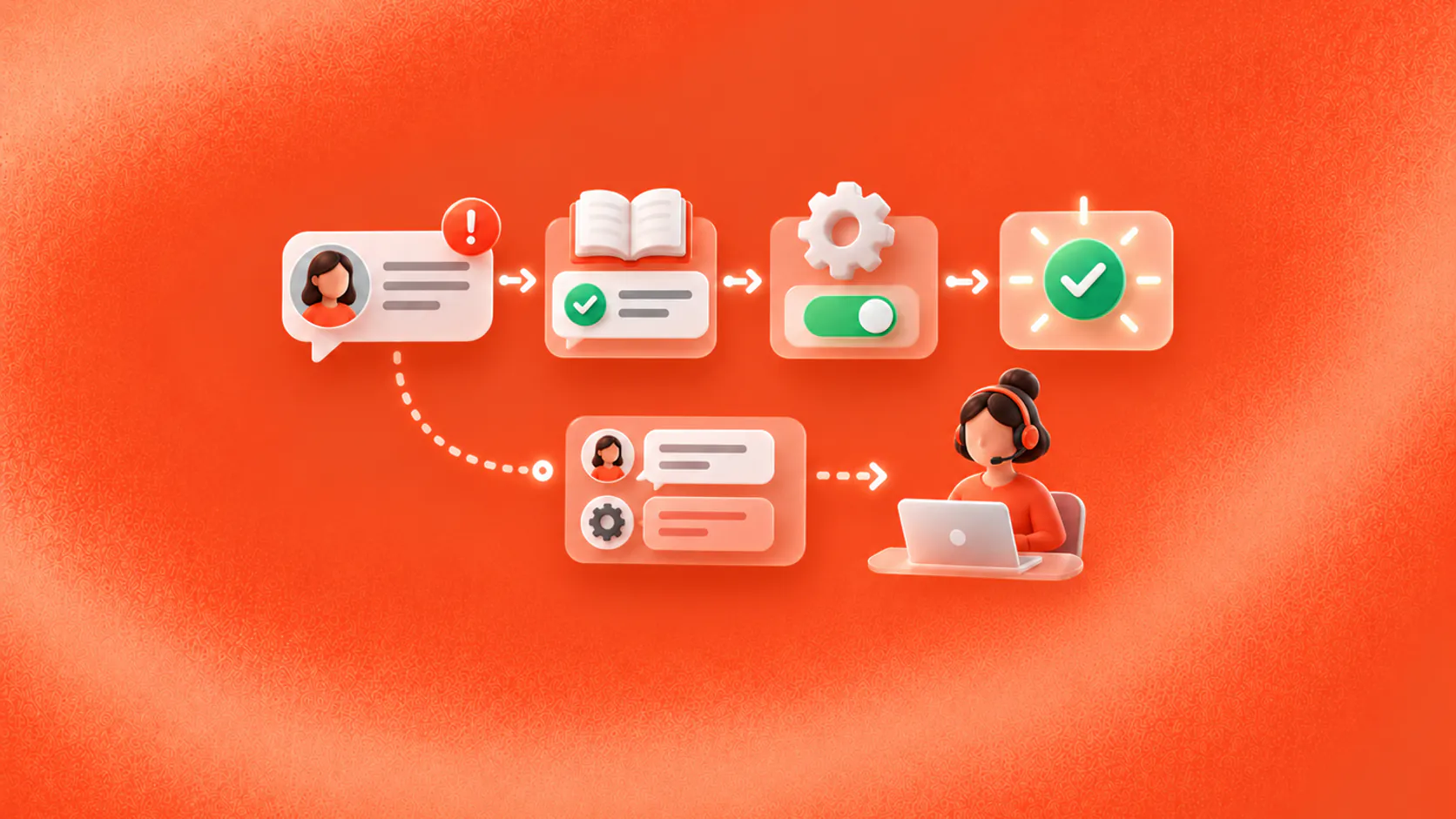
Conversational AI for customer support can answer approved questions, collect diagnostic details, complete permitted service tasks and transfer exceptions to a person with context. Its value depends on accurate knowledge, reliable actions, clear ownership and measurement of resolved outcomes rather than reply volume.
Key takeaways
- Start with support requests that have a reliable answer or a clearly defined service action.
- Measure confirmed resolution, repeat contact and handoff quality instead of counting automated replies.
- Give the system approved sources, limited permissions and explicit rules for involving a person.
- Preserve conversation history and collected details so customers do not have to start again after handoff.
What does conversational AI change in customer support?
Conversational AI for customer support gives customers a natural way to describe an issue while the support system works toward a defined result. The result might be an approved answer, an order-status check, a password-reset route, a case update or a transfer to a specialist.
The important shift is from matching a few scripted phrases to interpreting varied language and maintaining context across several turns. A customer can say, “My parcel was due yesterday and the tracking page has not changed,” without knowing the company’s ticket category. The system can identify the likely issue, ask for the order number and consult a permitted source.
That flexibility does not remove the need for process. Conversational AI for customer support still needs a current knowledge source, an action it is allowed to take, evidence that the action succeeded and a named owner when it cannot continue.
For a broader definition, start with what conversational AI is. The mechanics behind intent, retrieval and actions are covered in how conversational AI works.
Related must-read articles
Which customer-support use cases fit best?
The strongest starting points are frequent, bounded requests with a clear completion state.
The broader conversational AI use-case guide helps compare support with booking, qualification, follow-up and other workflows before choosing the first release.
Answering policy and product questions
A support assistant can retrieve information from approved help content and explain it in the customer’s language. Suitable topics include delivery windows, return steps, account settings, service availability and product setup.
The source should be visible to the operating team and have an owner. When policies vary by market, plan or purchase date, the system must collect the relevant detail before answering. If it cannot determine which rule applies, it should say so and route the question.
Collecting troubleshooting details
Conversational AI for customer support can ask a short sequence of diagnostic questions before a case reaches an agent. For a login problem, it might collect the device, error message, last successful login and troubleshooting already attempted.
This is useful only when the information follows the case. Asking five questions and then making the customer repeat the answers creates more work, not less.
Checking a connected record
With a permitted connection, the system may retrieve an order status, appointment state or open-ticket reference. It should distinguish between information it has confirmed and a request it has merely submitted.
“Your refund is complete” requires a successful system result. “I have sent your refund request for review” describes a different state. This distinction is central to reliable workflow automation.
Routing a case
Some requests need a person immediately. Account access, a disputed charge, a safety concern, repeated failure or an upset customer may require judgment. The system can still identify the reason, collect the minimum useful context and send the case to the right queue.
How should the support workflow be designed?
Use a simple operating contract for every automated request:
- Trigger: define the customer messages that should enter the workflow.
- Required context: list the details needed to answer or act.
- Approved sources: identify the documents and systems the assistant may use.
- Permitted action: state exactly what it can read, create or update.
- Completion evidence: specify the tool response or record that proves success.
- Exception owner: name the queue or role that receives unresolved cases.
Imagine a customer asking to change a delivery address. The system first checks whether the order is still editable. It verifies the customer according to the business’s process, collects the new address and submits the permitted update. It confirms the change only after the order system returns success. If fulfilment has already started, it transfers the request with the order details and the failed action reason.
That scenario shows why an AI chatbot interface is only one part of the solution. The useful work comes from knowledge, permissions, workflow state and recovery.
What knowledge and controls are required?
Conversational AI for customer support should answer from sources the team can inspect and maintain. A practical source register records the owner, scope, audience and next review date for each document.
Separate durable information from live account data. A returns policy may live in the knowledge layer. The status of one return belongs in a connected business system. Blending the two makes it harder to test accuracy and permissions.
Controls should cover:
- Which customer details may be collected on each channel;
- Which systems the assistant may read or update;
- Actions that require verification or human approval;
- Topics the system must decline or escalate;
- Retention and access rules for transcripts;
- The response to unavailable tools or uncertain information.
NIST’s AI Risk Management Framework provides a general framework for governing and monitoring AI risk. It does not replace a use-case review, but its emphasis on mapping, measuring and managing risk is useful when defining support controls.
How should human handoff work?
A customer should not need to prove that automation has failed. Conversational AI for customer support needs handoff conditions that are both system-driven and customer-driven.
System-driven triggers can include low confidence, missing source information, a failed connector, repeated misunderstanding, an unsupported action or a sensitive intent. Customer-driven handoff means a clear request for a person is respected rather than trapped in another loop.
The receiving agent needs:
- The customer’s stated goal;
- Relevant identifiers already collected;
- The answers or sources already shown;
- Actions attempted and their returned status;
- The reason for escalation;
- The conversation history permitted for that team.
ZINQ’s human handoff and omnichannel inbox pages describe how ownership and context fit into the wider operating model.
When customers move between messaging, web chat and email, the omnichannel conversational AI guide explains which task, identity and consent details should follow the conversation.
Which metrics show whether support improved?
Do not treat containment as the only success measure. A conversation can remain automated and still leave the issue unresolved.
Measure a small set of operational outcomes:
- Verified completion rate: the percentage of eligible conversations that reach the defined result.
- Repeat-contact rate: whether customers return about the same issue within a useful window.
- Correction rate: how often a customer or agent must correct an answer or collected detail.
- Action failure rate: how often connected tools reject, time out or return an unexpected result.
- Handoff quality: whether the case reaches the right team with usable context.
- Customer effort: where customers repeat information, rephrase excessively or abandon the flow.
Review the transcript behind each number. A falling handoff rate may reflect better automation, but it may also mean escalation became harder to reach.
How do you implement conversational AI for support?
Start with one request category and build a test set from anonymised real messages. Include normal requests, incomplete details, ambiguous wording, policy exceptions, unavailable systems and explicit requests for a person.
Run the workflow with a small operating group. Give that group authority to update sources, adjust routing and pause the automation. During the first release, review every failure rather than relying only on aggregate dashboards.
The full conversational AI implementation guide covers workflow selection, testing and rollout. The customer-service use-case page shows where ZINQ can fit when the workflow needs knowledge, actions and handoff across customer channels.
What mistakes should teams avoid?
Common mistakes include automating a broad queue before defining completion, importing outdated help content, giving the assistant more system access than the task requires and hiding the path to a person.
Another mistake is polishing tone while ignoring operating evidence. A warm response cannot compensate for a wrong policy, a failed update or a case sent to the wrong queue.
Conversational AI for customer support should make ownership clearer. When the system cannot verify the answer or complete the next step, it should expose that limit and place the work with someone who can continue.
What should a support launch checklist include?
Before release, give conversational AI for customer support one named owner for knowledge, one for workflow operations and one for escalations. Review the ten most common eligible requests and the ten most important exceptions. For each, verify the source, required details, permitted action, completion evidence and receiving queue.
Run transcript reviews with support agents. They can identify the words customers use, the diagnostic details that matter and transfers that commonly reach the wrong team. Convert those findings into tests rather than relying on a perfect demonstration script.
During the first release, inspect wrong answers, corrections, failed actions, repeat contacts and handoffs with missing context every week. Assign each issue to a source, prompt, workflow, integration or ownership fix. Conversational AI for customer support improves when a failed conversation becomes a specific operational change.
Frequently asked questions
What can conversational AI do in customer support?
It can answer approved questions, identify intent, collect troubleshooting details, retrieve account or order information through permitted tools, create or update a case and route exceptions to the right team.
Will conversational AI replace support agents?
It is better treated as part of the support operating model. It can handle bounded work and prepare cases, while people retain responsibility for judgment, exceptions, sensitive requests and service recovery.
How should support accuracy be measured?
Review source accuracy, action success, customer corrections, repeat contact, escalation reasons and the final resolution. A fluent response is not proof that the issue was solved.
Which support requests should be automated first?
Begin with frequent requests that have current source information, limited variation, a measurable completion state and a safe escalation path.
Conclusion
Conversational AI for customer support works when it helps a customer reach a verified next step. Define the resolution, connect the right sources and tools, preserve handoff context and improve the workflow from real failure patterns.
READY TO SEE ZINQ IN ACTION?
From first enquiry to conversion, follow-up and support, ZINQ helps automate the next step while keeping your team in control.
Book a DemoAdditional resources
-
How to provide useful AI support after hours
After-hours AI support can answer routine questions and collect unresolved requests while your team is offline. A useful setup distinguishes what can be completed immediately from what needs the next staffed shift.
Pavan · June 17, 2026 · Customer Support & CX -
How to configure a no-code AI support agent
Configure an AI support agent by defining its scope, adding approved knowledge, connecting supported channels and setting a human handoff path. Test representative questions and failures before allowing it to serve the full queue.
Pavan · June 17, 2026 · Customer Support & CX -
AI agent guardrails for customer conversations
AI agent guardrails define what an agent may answer, ask, change, promise, escalate and log so customer conversations stay useful without letting automation exceed its authority.
The ZINQ team · September 30, 2026 · AI Agents & Conversational AI