Conversational AI for SaaS
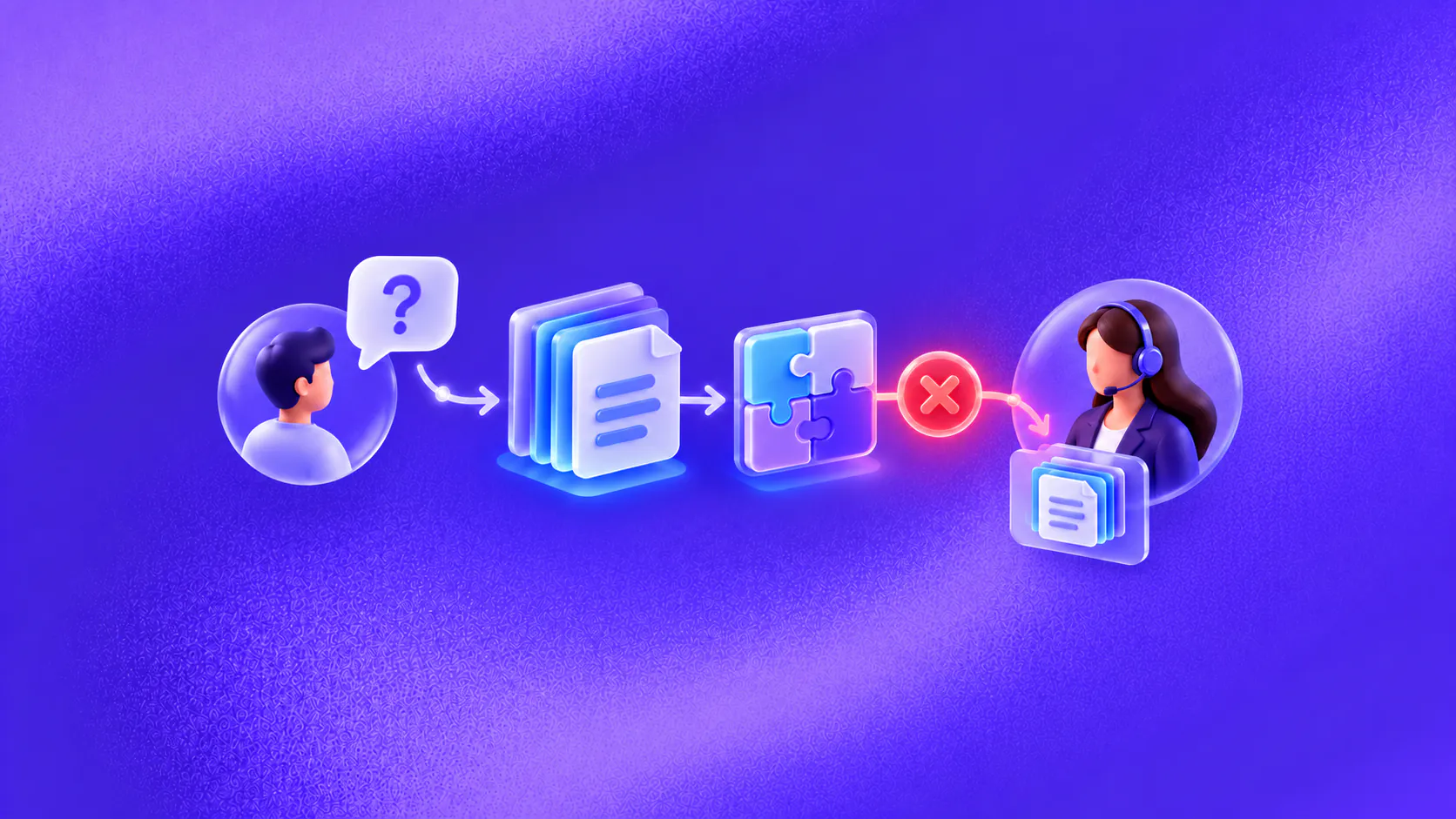
Conversational AI in SaaS can answer product questions, qualify enquiries, guide onboarding, troubleshoot known issues, collect support details and route users to the right team. It works best when responses use current product documentation, account actions are permissioned and unresolved issues keep their context.
Key takeaways
- Give the system versioned product, plan and status information rather than relying on general model knowledge.
- Separate public product questions from authenticated account actions and permission each workflow narrowly.
- Use conversational onboarding to guide a user toward a defined activation step, not to recite every feature.
- Preserve environment details, steps tried and system results when escalating a technical issue.
What is conversational AI in SaaS?
Conversational AI in SaaS helps prospects and customers move through product discovery, onboarding, support and account-service tasks using ordinary language. It can understand what someone is trying to accomplish, retrieve relevant product information and guide an approved next step.
The product changes quickly, so knowledge freshness matters. A response based on last quarter’s interface, plan limits or integration behavior can create more work than a missing answer.
A SaaS assistant therefore needs versioned sources, account boundaries, action confirmation and a clear route to sales, success, billing, technical support or security.
Related must-read articles
- Conversational AI for customer support
- Conversational AI implementation
- How to build an AI support agent without code
How can it support product discovery?
Prospects often arrive with a goal rather than a feature name. Conversational AI in SaaS can ask about the workflow, team, channels, integrations and constraints, then explain relevant capabilities from approved product information.
It should distinguish current availability from a roadmap request. It should also avoid promising that a feature fits a customer’s technical environment before the necessary details are known.
When the enquiry needs commercial or solution judgment, use transparent lead qualification and route it to the correct person with the stated requirements attached.
How does conversational onboarding work?
Onboarding should begin with the user’s desired result. A new administrator may want to connect a data source; an agent may need to handle a first ticket; a marketer may need to launch a workflow.
The assistant can identify that outcome, show the next setup step, retrieve a relevant guide and ask whether the step succeeded. If the user reports an error, it can collect the environment, message and action attempted.
Conversational AI in SaaS should not deliver every onboarding lesson in one long sequence. Guide one meaningful action, confirm its state and adapt the next step.
What product knowledge is required?
Create a source hierarchy for:
- Current product documentation;
- Plan and entitlement information;
- Supported integrations and prerequisites;
- Release and deprecation notes;
- Known issues and status information;
- Security and privacy documentation approved for sharing;
- Internal escalation and ownership rules.
Tag sources by product version, plan, market and audience. Public visitors should receive public information. Authenticated customers may receive account-specific information only after the required identity and permission checks.
The knowledge platform supports controlled sources, while the how conversational AI works guide explains retrieval and response generation.
How can support workflows improve?
For known issues, conversational AI in SaaS can collect the product area, account context, environment, error message and steps already attempted. It can offer an approved troubleshooting step and ask for the result.
If the issue remains unresolved, the handoff should include those details. Technical support should not begin by asking the user to repeat the error and reproduce the same basic steps.
For account tasks, use narrow permissions. A system might retrieve subscription state, create a support case or request an account change. It should confirm the action only after the connected system accepts it.
The conversational AI for customer support guide covers completion evidence, troubleshooting intake and prepared escalation. ZINQ’s customer-service use case shows how those steps can connect inside a bounded workflow.
What does a technical-support scenario look like?
Imagine an administrator who cannot complete a calendar integration. The assistant asks which calendar provider and setup stage are involved, then retrieves the current guide for that connector.
The user reports a permission error. The assistant explains the approved prerequisite and asks the user to retry. When the error continues, it creates a technical case containing the connector, error, steps tried and relevant account identifier.
The assistant does not request credentials or invent a fix. The assigned support specialist receives the evidence and continues from the failure point.
This is conversational AI in SaaS as an operating workflow: useful self-service when the answer is known and a prepared escalation when it is not.
How should billing and account requests be handled?
Billing questions range from public plan comparisons to private invoices and disputes. Route each type through an appropriate identity and authority boundary.
An assistant can explain published billing cycles or retrieve an invoice through a permitted authenticated workflow. Refunds, disputes, contract changes and exceptions may require a billing or account owner.
Do not blend account roles. A user who can view a workspace may not be authorised to change its subscription. The system should respect the product’s role and permission model.
How does incident communication fit?
During an incident, use a designated, current source such as an approved status record. The assistant can acknowledge the affected service, share the published update and record a request for notification.
It should not estimate restoration time unless the authorised source provides it. When the incident resolves, remove or expire temporary guidance so it does not appear in later conversations.
This is a knowledge-operations problem as much as a messaging problem. Owners and expiry rules prevent stale incident content.
What should reach a person?
Route unknown defects, data-loss concerns, security reports, access conflicts, billing disputes, contractual questions and repeated troubleshooting failures.
Use human handoff to send the user’s goal, account context permitted for the team, documentation shown, actions attempted and returned errors. Security reports may require a dedicated route that avoids broad transcript access.
Which metrics matter?
Measure outcomes by stage:
- Product questions answered from current sources;
- Qualification routes accepted by sales;
- Onboarding steps completed and confirmed;
- Technical cases created with required diagnostic details;
- Troubleshooting corrections and repeated contacts;
- Account actions confirmed or failed;
- Handoff time and reassignment rate;
- Stale-source incidents by product version.
Do not claim improved activation, retention or support cost without a defensible measurement design. Conversation activity is not a substitute for product outcomes.
How should a SaaS team start?
Choose one product area and one outcome, such as troubleshooting a common integration setup. Identify the current sources, required context, permitted actions and support owner.
Test different plans, roles, versions, incomplete errors, outdated instructions, unavailable tools and direct requests for a person. The implementation guide provides the staged process.
Use the omnichannel conversational AI guide to decide which context may move between product chat, messaging and email. ZINQ’s SaaS and technology page and omnichannel inbox show how product conversations can connect across channels and teams. Conversational AI in SaaS earns trust when it makes the product state and ownership easier to understand.
What should a SaaS operating checklist include?
Inventory the sources used by conversational AI in SaaS. Assign owners to documentation, plan entitlements, integration requirements, known issues and incident content. Define how quickly a product change appears and when old guidance expires.
Map permissions by task. Public visitors may read product content; signed-in members may see workspace information; only specific roles may change billing, security or account settings. Test those boundaries with different roles and plans.
Include an outdated interface name, plan-only feature, administrator-only integration, known incident, unrelated error, request for credentials, billing dispute, security report and request for a person in evaluation.
Review whether the assistant uses the current guide and tested product version. When a source is missing, it should acknowledge the gap or escalate.
Repeated questions can reveal unclear naming, missing onboarding cues or integration friction. Route those patterns to product and documentation owners without exposing unnecessary customer data. Re-run the evaluation set after releases, permission changes and connector updates. Conversational AI in SaaS is part of product operations, so maintenance cannot wait for customers to report stale answers.
Frequently asked questions
How can SaaS companies use conversational AI?
They can use it for product questions, plan guidance, lead qualification, onboarding, troubleshooting, account-service requests, incident communication and support routing.
Can a SaaS chatbot access customer accounts?
It can perform approved account lookups or actions when identity, role and permissions are verified. Public chat should not expose authenticated data.
How does conversational AI help onboarding?
It can ask what the user wants to accomplish, guide the next setup step, retrieve relevant documentation and route blockers to the appropriate team.
What should be handed to technical support?
Unknown defects, security concerns, billing disputes, repeated failures and issues requiring environment-specific investigation should reach the right team with the context already collected.
Conclusion
Conversational AI in SaaS should help a prospect or user reach the next product outcome with less searching and repetition. Keep product knowledge current, account access narrow, technical evidence intact and human ownership clear.
READY TO SEE ZINQ IN ACTION?
From first enquiry to conversion, follow-up and support, ZINQ helps automate the next step while keeping your team in control.
Book a DemoAdditional resources
-
AI support for startups: build useful coverage early
Startup AI support works best when it answers stable product questions, collects useful context for bugs and keeps account exceptions with the people who can resolve them.
Pavan · July 13, 2026 · Customer Support & CX -
Planning a ZINQ support workflow for your app
An app support workflow needs approved product answers, a path for account-specific questions and an owned route for bugs. ZINQ's supported knowledge, conversation and handoff features can be assessed against those requirements in your configuration.
Pavan · June 10, 2026 · Customer Support & CX -
How to configure a no-code AI support agent
Configure an AI support agent by defining its scope, adding approved knowledge, connecting supported channels and setting a human handoff path. Test representative questions and failures before allowing it to serve the full queue.
Pavan · June 17, 2026 · Customer Support & CX