Customer operations workflow automation: practical guide
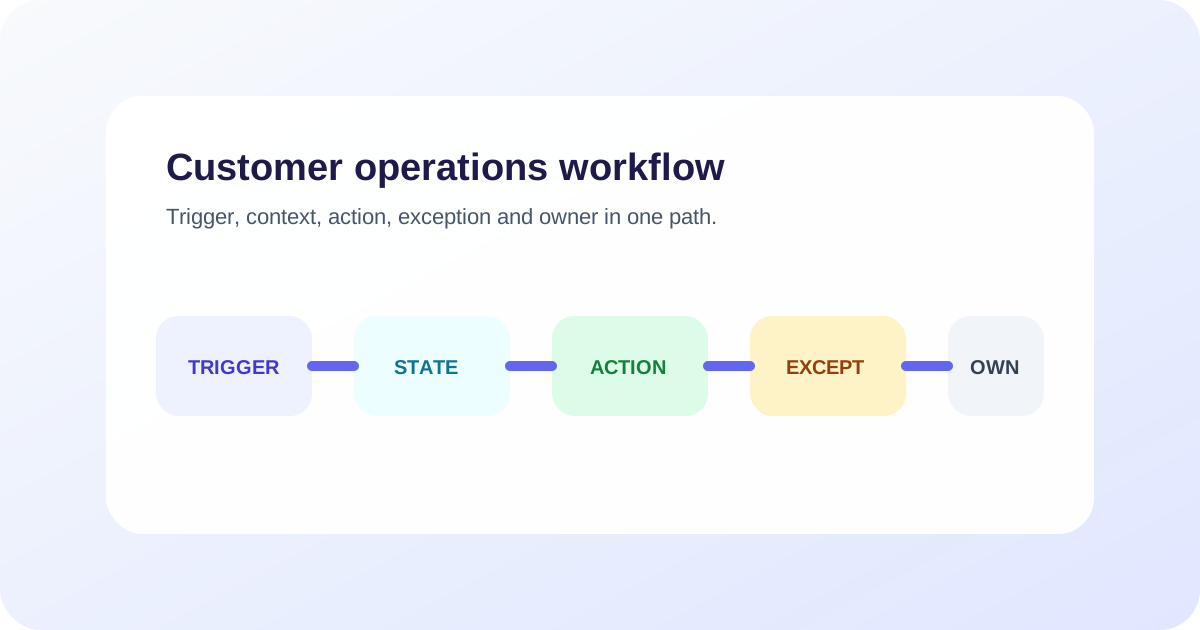
Automate a customer-operations workflow by defining its trigger, required context, decision rules, permitted actions, system evidence, exception paths and owner. Start with a bounded request, test partial failures and measure the completed customer outcome before adding more autonomy.
Key takeaways
- Model the customer outcome and system state before selecting automation tools.
- Use deterministic rules for fixed decisions and AI where language or variation requires it.
- Confirm actions from destination systems instead of trusting conversational wording.
- Design timeout, retry, compensation and human routes before releasing the happy path.
- Expand one workflow boundary at a time and rerun representative cases after every change.
What is workflow automation for customer operations?
Customer-operations workflow automation connects a customer’s request to the information, decisions, actions and people required to complete it. The workflow may answer a question, update a record, create work, send a follow-up or route an exception.
The conversation is only one part. A complete workflow has an observable state in the business systems involved. If an assistant says it changed an appointment but the calendar remains unchanged, the workflow failed.
AI can interpret varied language and choose among permitted tools. Deterministic software can validate fields, enforce permissions and update known states. Good workflow design uses each where it is useful rather than forcing every step through a model.
For adjacent examples, compare this operating method with five workflows an AI agent can automate, an end-to-end business task workflow and AI task creation from conversations. If the workflow begins before a sale, use the AI lead-scoring rubric to decide what the system should ask, record and leave unknown. If you are evaluating build effort, read Can you build an AI agent without a developer? alongside the practical guide to service-business AI agents.
For more specialized examples, compare automotive chatbot workflows, banking chatbot handoff, financial-service public knowledge routing, customer service automation examples, insurance renewal reminders, and travel booking-change routing.
Choose a bounded customer task
Start with a task, not a department. “Customer support automation” combines many requests. “Retrieve an order status after approved verification” is a testable workflow.
Assess candidate tasks using six questions:
| Question | Better starting signal |
|---|---|
| How often does it occur? | Enough volume to learn from |
| Is the process understood? | Staff broadly agree on the steps |
| Is the information reliable? | Current source with an owner |
| Is the authority bounded? | Permitted actions and exceptions are explicit |
| Can completion be observed? | A record or state proves the result |
| Can failure be recovered? | A real person or queue owns exceptions |
High volume alone is not sufficient. A common request with unclear policy will produce inconsistent automation. Begin with a workflow whose owner can state what success and failure mean.
Write a workflow contract
A workflow contract describes how the request moves from start to completion. Include:
- Trigger: the message, event or system state that begins work.
- Customer goal: what the customer is trying to accomplish.
- Required context: information needed before answering or acting.
- Sources: approved knowledge and systems of record.
- Decision rules: fixed policy and permitted judgment.
- Actions: reads, writes, messages and tasks the workflow may perform.
- State: the durable status after each step.
- Completion evidence: the record proving the outcome.
- Exceptions: conditions that change or stop the path.
- Owner: the person or queue responsible at every state.
Review this contract with the staff who perform the work. Differences in their answers reveal policy and process gaps before they become automated failures.
Decide which steps need AI
Anthropic’s workflow and agent guidance distinguishes predefined workflows from agents that dynamically direct their own process and recommends adding complexity only when it improves the outcome.
Apply that principle step by step:
- Use a classifier or AI interpretation for varied customer language.
- Use retrieval for answers that must come from maintained business knowledge.
- Use deterministic validation for formats, required fields and eligibility rules.
- Use restricted tools for lookups and updates.
- Use explicit rules for authority, consent and mandatory handoff.
- Use a person for judgment, exceptions or unavailable evidence.
Do not ask an AI agent to improvise a policy that the business has not defined. Flexibility is useful inside a clear boundary.
Model state instead of a list of messages
A state model tells the system what has happened and who owns the next step. For a booking change, states might include:
- request received;
- identity or booking located;
- eligible options retrieved;
- customer selection pending;
- update submitted;
- update confirmed;
- transfer pending;
- human owned; and
- closed.
Store a stable workflow identifier across the conversation, calendar, CRM and support task where possible. This lets the team reconcile a delayed event without repeating the entire action.
Specify transitions. A successful calendar response moves “update submitted” to “update confirmed.” A timeout should not make the same transition. It moves to an uncertain or recovery state until the current calendar record is read.
Make every action return evidence
Tool responses should include information the workflow can use to decide what happened. A useful action result may contain:
- stable record identifier;
- success, failure or pending status;
- current state after the action;
- validation or error reason;
- safe information for the customer; and
- information needed for retry or human review.
The ZINQ connectors layer links workflows with supported business systems. During implementation, verify the exact action and returned evidence rather than relying on a connector name.
Use idempotency for write operations where available. Retrying the same request should not create a duplicate booking, refund or ticket.
Design exceptions before the happy path ships
List what can go wrong at every step:
| Step | Exception | Required response |
|---|---|---|
| Understand request | Two plausible intents | Ask one clarifying question |
| Find customer record | No match or several matches | Use approved verification or hand off |
| Retrieve information | Source unavailable | Do not invent; preserve and route |
| Perform action | Timeout after submission | Read current state before retrying |
| Send confirmation | Channel failure | Keep completed action; retry message safely |
| Human transfer | Queue unavailable | Retain ownership and communicate actual next step |
Some partial actions can be reversed. Others need compensation, such as creating a task to reconcile two systems. Define that behavior explicitly.
The chatbot handoff guide covers transfer states and context. Handoff should not become the universal fallback for poor workflow design, but it must exist where automation ends.
A worked example: rescheduling an appointment
Consider a hypothetical service business. A customer writes, “Can you move tomorrow’s appointment to Friday afternoon?”
Trigger and context
The workflow identifies a reschedule request. It locates the booking through the approved verification process and checks whether the appointment is eligible to move.
Options and decision
The calendar returns available Friday-afternoon slots. The workflow presents only current results and records the customer’s selection. A deterministic rule checks that the slot is still valid before submission.
Action and evidence
The update call returns the booking identifier, old time, new time and confirmed status. Only then does the customer receive confirmation.
Partial failure
Suppose the update request times out. The workflow does not immediately retry. It reads the current booking. If the new time is already present, it sends confirmation. If the old time remains, it may retry with the same idempotency key. If the state is uncertain, it creates an owned review task.
Handoff
If the requested change falls outside policy, the workflow transfers the booking, requested time, eligibility result and attempted steps. It does not promise that staff will approve the exception.
This example shows why the state model matters more than a conversational script.
Test the complete workflow
Build cases from real request patterns with personal data removed. Include:
- direct, incomplete and ambiguous requests;
- conflicting customer details;
- unsupported actions;
- stale knowledge;
- unavailable integrations;
- timeouts after an action may have succeeded;
- duplicate events;
- explicit requests for a person; and
- messages arriving while human review is pending.
Inspect the response, action, destination record and ownership state separately. The AI agent evaluation-set guide provides a scoring method.
Anthropic’s agent evaluation guidance separates tasks, trials, graders, transcripts and outcomes. That separation helps teams verify the final business state instead of rewarding polished wording.
Roll out one boundary at a time
Begin with offline cases. Then use staff review or a limited queue where failures can be recovered. Expand one dimension at a time:
- more language variants for the same task;
- a current-information lookup;
- one restricted write action;
- another channel;
- a broader customer group; or
- greater autonomy within the same approved boundary.
Run regression cases after changes to models, prompts, sources, tools, policies or routes. Keep a record of what changed and which owner approved it.
Measure the completed outcome
Choose metrics tied to the task:
- correctly completed workflows;
- false confirmations;
- partial failures requiring reconciliation;
- duplicate actions prevented or created;
- time to owned recovery;
- repeat contact for the same task;
- human corrections and their reasons; and
- staff effort per completed request.
Speed and automation rate are supporting measures. They should not outrank correctness and ownership.
Where ZINQ fits
ZINQ connects customer conversations across supported channels with business knowledge, workflow actions, customer context and human handoff. Its workflow platform page describes the capability layer.
Bring a completed workflow contract to a ZINQ demonstration. Test the intended result, a failed dependency and a human exception. That evidence will tell you more than a broad feature tour.
Frequently asked questions
What is customer-operations workflow automation?
It is the use of software, rules and sometimes AI to move a customer request through defined steps such as understanding, lookup, action, confirmation, follow-up and handoff while updating the required systems.
When should a workflow use AI instead of fixed rules?
Use AI where language interpretation or variable context requires it. Use fixed rules for known validations, permissions, status changes and system actions when deterministic behavior is available.
What is the best first workflow to automate?
Choose a frequent, bounded request with reliable information, a clear owner, limited consequences and an outcome you can verify in a business system.
How do you handle a partially completed automated workflow?
Record each completed step, read the current system state before retrying, reverse a safe action where appropriate, and create an owned recovery task when automation cannot finish.
Conclusion
Reliable workflow automation makes state and ownership visible from the first message to the final record. Define the contract for each step, including what happens when it fails. A small workflow with observable completion is a better foundation than broad automation whose outcomes cannot be explained.
READY TO SEE ZINQ IN ACTION?
From first enquiry to conversion, follow-up and support, ZINQ helps automate the next step while keeping your team in control.
Book a DemoRelated articles
-
Five business workflows to automate with an AI agent
Useful first AI workflows include enquiry qualification, appointment requests, support triage, follow-up tasks and feedback collection. Each should connect a customer request to a clear next step your team can see.
Pavan · June 22, 2026 · Workflows & Automation -
How to automate task creation from customer conversations
An AI-created task needs a clear request, an owner, a due time where relevant and a link to its source conversation. The workflow should confirm that the task was saved and avoid creating duplicates when the same request repeats.
Pavan · June 30, 2026 · Workflows & Automation -
AI customer service: an operating guide for support teams
AI customer service uses AI to assist, answer, retrieve, act or route within a support workflow. Operate it by assigning owners, defining request-level authority, maintaining knowledge and integrations, testing changes, reviewing failures and measuring the customer's completed outcome.
Kushal Verma · June 8, 2026 · Customer Support & CX