AI Chatbot Customer Service: Use Cases and Best Practices
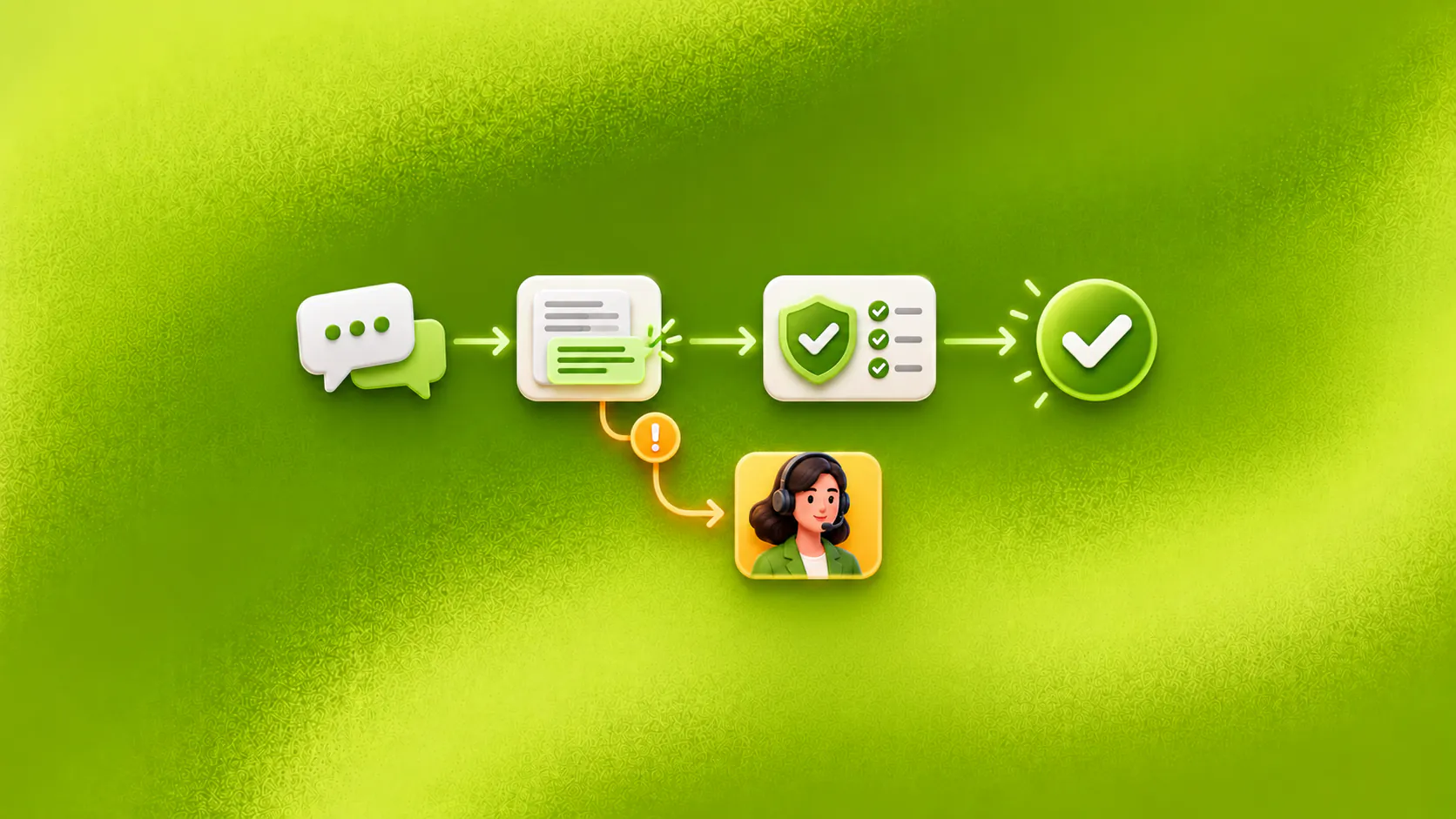
A customer service chatbot handles bounded support work such as approved questions, status checks and request intake, then gives staff the context needed for exceptions. Its value comes from verified resolution and clearer ownership, not fewer human conversations alone.
Key takeaways
- Define resolution for each support request before deciding what the chatbot should handle.
- Use current approved knowledge and confirm connected actions in the system that owns the result.
- Keep complaints, exceptions, uncertain identity and consequential decisions with responsible staff.
- Measure repeat contact, correction, action failure and handoff quality alongside response speed.
How does AI chatbot customer service work?
An AI chatbot customer service workflow handles bounded support work through conversation. It may answer approved questions, retrieve a current status, collect request details, create a ticket or move an exception to staff.
The important word is “handles.” A reply is not a resolution. If a customer asks to cancel a booking, the assistant must either complete the permitted cancellation and confirm it from the booking system or explain who now owns the request.
Consider an illustrative customer asking, “Where is my order, and can I change the delivery address?” The first question may need a verified status lookup. The second may require identity checks, an order-state rule and a confirmed system update. Treating both as FAQ questions creates a polite but incomplete experience.
Related must-read articles
Start with what customers are trying to finish
Review anonymised conversations and group them by customer goal, not internal department. “Billing” is a queue. “Explain this charge” and “correct an invoice address” are different tasks with different authority.
A strong first support workflow has:
- A frequent and recognisable request.
- Current approved information.
- A clear completion rule.
- Limited system access.
- Known exceptions and an owner.
The customer-service use-case page shows how answers, workflows and handoff can fit together.
Which support use cases create practical value?
Approved questions
An AI chatbot customer service workflow can explain delivery terms, account setup, service hours or a return process using approved sources. It should admit when the material does not answer the question.
The value is consistent access to current information. The business still needs someone to maintain the knowledge source and review repeated unanswered questions.
Order, booking or request status
Status needs a current result from the responsible system. After any required verification, the chatbot retrieves the record and explains the next expected event.
If the connected service fails, the assistant should not show an old status as current. It can preserve the request and create owned follow-up.
Returns, cancellations and service intake
The chatbot can collect an identifier, request type, reason and permitted evidence. It may create a ticket or complete a configured action when policy and authority allow.
It should not promise approval before the relevant check occurs. The tickets and tasks platform explains how a conversation can become assigned work.
Basic troubleshooting
A bounded troubleshooting flow can ask what the customer sees, offer approved steps and confirm whether the issue changed. If the steps fail, the assistant should stop repeating them and prepare escalation.
What should the customer experience feel like?
The conversation should acknowledge the goal, ask only for necessary information and state the next step. It should not make customers translate their request into internal categories.
Suppose a customer says, “I tried the reset twice and still cannot sign in.” A poor flow starts the reset instructions again. A useful AI chatbot customer service recognises the completed attempts, gathers the required account context and routes the unresolved case.
Keep identity checks proportional to the action. Public service information may need none. An account change may require stronger verification before any record is discussed or updated.
How should actions be confirmed?
The system that owns the order, booking or request should return the result. A conversational message alone is not evidence.
For each action, define:
- Required customer information.
- Identity and permission checks.
- The connected-system response that means success.
- The message shown after success.
- The recovery path after failure.
This is where the workflow platform matters. It turns an answer into controlled work with an observable result.
When should a person step in?
Human involvement is the final support use case. Routine approved work should finish without manual review when the necessary information and system are available.
A person steps in for complaints, policy exceptions, uncertain identity, failed actions, negotiation, emotional situations, consequential decisions or direct requests for staff. The AI chatbot customer service should pass the goal, identifiers already collected, answers shown, actions attempted and escalation reason.
The human handoff platform and omnichannel inbox show how the receiving team can continue without asking the customer to repeat everything.
What should you measure?
Do not use deflection as the only success measure. A customer can remain in automation and still leave without help.
Useful measures include:
- Verified resolution for eligible requests.
- Repeat contact about the same issue.
- Customer or staff corrections.
- Connected-action failures.
- Abandonment at each required step.
- Handoffs reaching the correct team with enough context.
Review conversation samples beside the dashboard. A low handoff rate may reflect better resolution, or it may mean escalation is difficult to reach.
How should the first workflow launch?
Choose one request category and build tests from anonymised real messages. Include missing details, unclear wording, unavailable systems, policy exceptions and requests for a person.
Give a small operating group authority to update sources, correct routing and pause the workflow. The implementation guide covers the complete rollout.
An AI chatbot customer service programme should earn a wider role by resolving one bounded request reliably. More automated messages are not the objective. Clearer help and accountable next steps are.
Additional resources
- ZINQ AI agents
- Customer conversation channels
- Customer service automation examples
- AI customer service evaluation
- Human-in-the-loop AI agents
Frequently asked questions
What is a customer service chatbot?
A customer service chatbot is software that answers support questions and may retrieve information, collect request details, create work or route a conversation according to approved rules.
Which requests should a support chatbot handle first?
Begin with one frequent request that has stable information, a clear completion rule and manageable exceptions, such as order status or intake for a defined service request.
Can a chatbot replace customer support staff?
It can complete routine bounded work, but staff remain responsible for exceptions, judgment, complaints, sensitive issues and requests outside the chatbot's verified scope.
How should support chatbot success be measured?
Measure verified resolution, repeat contact, customer corrections, failed actions, abandonment and whether transferred conversations reach the right owner with usable context.
Conclusion
A customer service chatbot works when customers receive a correct answer or completed next step and staff receive the exceptions they can actually resolve.
READY TO SEE ZINQ IN ACTION?
From first enquiry to conversion, follow-up and support, ZINQ helps automate the next step while keeping your team in control.
Book a DemoAdditional resources
-
What Is an AI Chatbot?
An AI chatbot is software that understands everyday language and responds through a customer conversation. For a business, it can answer approved questions, collect details, qualify an enquiry, complete a connected action and pass an exception to the right person.
The ZINQ team · October 23, 2026 · AI Chatbots -
AI Chatbot Examples and Practical Use Cases
Useful chatbot examples show a customer reaching an observable next step: a qualified enquiry, suitable option, confirmed booking, completed checkout, current status answer or well-prepared handoff. The best use case is frequent, bounded and connected to a result the business can verify.
The ZINQ team · October 22, 2026 · AI Chatbots -
How to implement a chatbot-to-human handoff
Implement a chatbot to human handoff by defining transfer triggers, conversation ownership, queue routing and the context a person needs to continue. Test explicit human requests, authority limits, missing information and system failures, then verify that the receiving team accepted the case.
The ZINQ team · September 21, 2026 · AI Chatbots