WhatsApp Chatbot for Customer Enquiries and Follow-Up
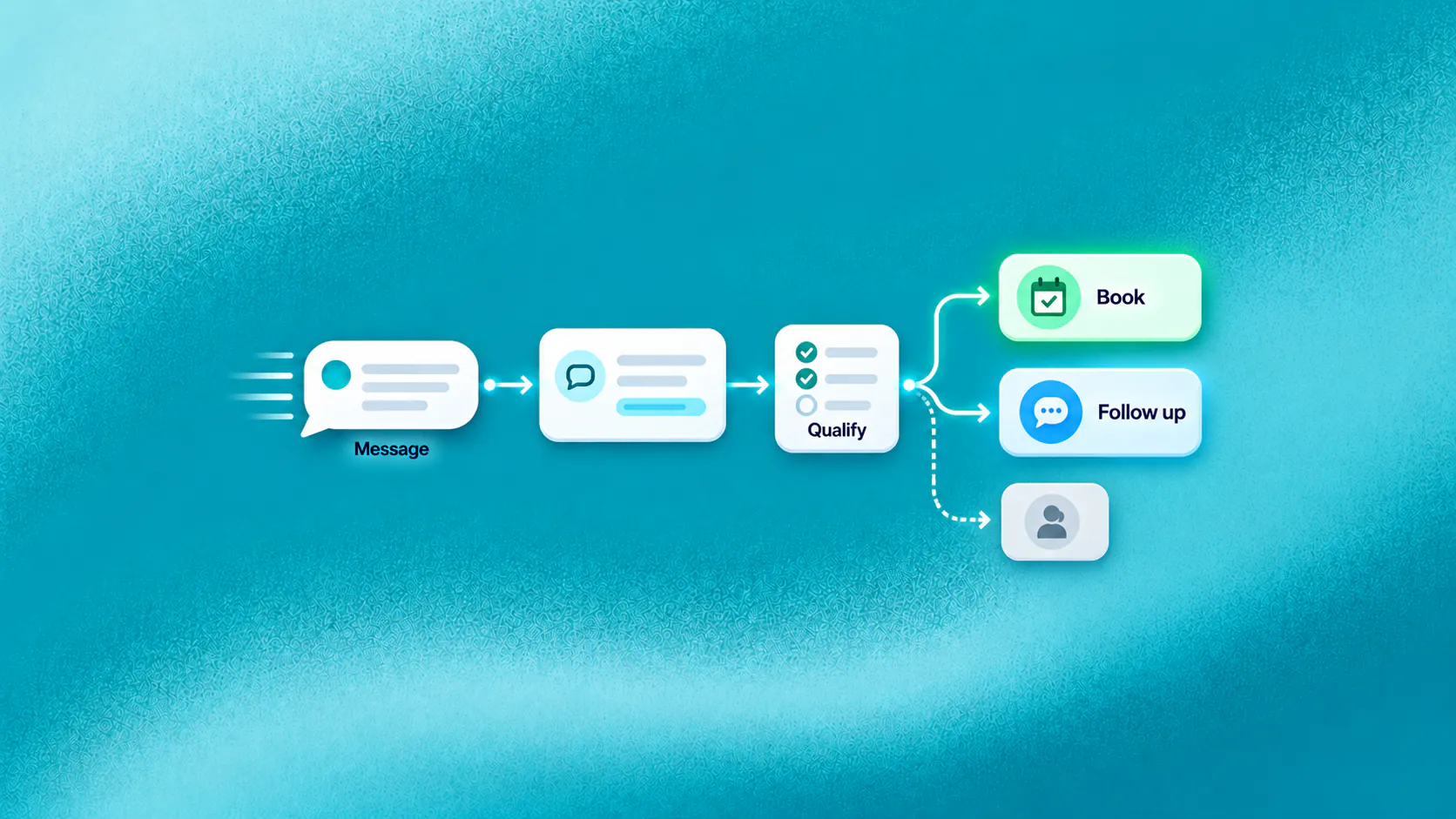
A WhatsApp chatbot can engage an enquiry after the person starts a WhatsApp conversation, answer approved questions, collect details that affect the next step, support booking or checkout, follow up where permitted and transfer exceptions with context. It does not create or manage the advertising campaign that generated the enquiry.
Key takeaways
- The WhatsApp conversation begins after a person messages the business from an ad, website, QR code, profile or direct contact.
- Answer the customer's first question before asking for extensive contact or qualification details.
- Treat booking, checkout and other actions as complete only when the connected system confirms them.
- Proactive follow-up requires appropriate consent, approved message types, suppression rules and current WhatsApp requirements.
How does a WhatsApp chatbot handle an incoming enquiry?
A WhatsApp chatbot can respond after a person starts a conversation with the business. It can answer approved questions, understand the stated need, collect the details that affect the next step and continue towards a booking, order, application, support request or human conversation.
The enquiry may begin after a Click-to-WhatsApp ad, website button, QR code, social profile or direct message. The advertising or website experience creates the entry point. The WhatsApp chatbot does not run the paid campaign; it begins when the message reaches the business.
Imagine an illustrative shopper clicking an ad and asking whether a promoted product suits a particular requirement. A useful conversation answers that question, asks about the relevant preference and provides the appropriate product or staff-assisted path. A weak conversation ignores the question, asks for a phone number the customer has already shared and sends a generic catalogue.
Related must-read articles
- What is a chatbot?
- Lead generation chatbot guide
- Appointment booking chatbot guide
- Customer retention chatbot guide
- WhatsApp chatbot setup, use cases and limits
Where can WhatsApp enquiries lose momentum?
The customer has already shown intent by starting a message. Momentum disappears when the business makes that person wait, repeats information, sends an irrelevant response or leaves the next step unclear.
The first question is not answered
Many automated greetings say “How can we help?” even though the person’s first message already explains the need. The WhatsApp chatbot should recognize and answer the immediate question before requesting more information.
Qualification becomes an interrogation
Collect only the details needed for the next decision. A property enquiry may need budget range, preferred area and timing. A product enquiry may need size, compatibility or intended use. Asking ten generic questions can lose the customer before value appears.
The conversation cannot complete the action
A customer may choose a slot or item but receive no real confirmation. A conversational reply is not evidence that a calendar, order or service system accepted the action.
Staff take over without context
When a person repeats the same questions, the channel feels fragmented. Handoff should preserve the customer’s request, collected details, attempted action and current status.
How can the conversation continue after an ad click?
Source context can help the WhatsApp chatbot continue naturally. If available and appropriate, the conversation can recognize the campaign, product, service or page that led to the message. It should confirm the customer’s current intent rather than assume the click explains everything.
A practical flow is:
- Acknowledge the specific enquiry. Refer to the relevant product or service when the context is reliable.
- Answer the first question. Use approved information instead of sending a broad brochure.
- Identify what the customer wants next. Discovery, comparison, availability, booking or staff help may require different paths.
- Collect only decisive details. Ask questions that affect the route or action.
- Complete or assign the next step. Confirm the result or show that a person owns it.
The WhatsApp channel page explains how ZINQ supports customer conversations after the enquiry enters WhatsApp. It does not describe paid-media campaign management.
What sales and service journeys fit WhatsApp?
WhatsApp can support short, contextual journeys where customers value a quick answer and a visible next step.
Lead qualification
The WhatsApp chatbot can ask about the declared need, timing, location or other relevant criteria, then route the enquiry. Qualification should guide service, not hide unexplained scoring. See the lead qualification use case.
Product or service discovery
Customers can ask ordinary questions instead of navigating several pages. The conversation can narrow suitable options using approved attributes and stated preferences, then continue to checkout or staff help.
Appointment requests
The chatbot can collect the service, preferred location and timing, check supported availability and distinguish a confirmed booking from a request awaiting staff. The appointment booking use case provides the operating context.
Order, booking or request status
After appropriate identity checks, the conversation can retrieve supported status information or create a service request. It should not reveal account details based only on possession of a phone number.
Support and feedback
The WhatsApp chatbot can answer bounded questions, collect troubleshooting information, create an owned task and request feedback after the issue is genuinely resolved.
How should follow-up work?
Follow-up should continue a relevant customer journey, not create unsolicited pressure. Depending on current rules and consent, a business may send a permitted reminder, request missing information, confirm an appointment, provide a status update or continue an incomplete purchase.
Before enabling proactive messaging, define:
- The eligible first-party audience
- The consent or other permitted basis
- The approved message type or template where required
- The event that triggers the message
- Frequency and suppression rules
- How replies change the workflow
- How opt-outs are recognized and honored
- Who owns failures and exceptions
WhatsApp requirements change. Verify the current WhatsApp Business Messaging Policy and applicable law for the target market before launch.
Can a WhatsApp chatbot support campaigns and broadcasts?
A business may use approved customer segments and permitted WhatsApp messages for informational or promotional outreach. The WhatsApp chatbot can handle replies, answer related questions and move an interested customer towards a next step.
This is not paid-ad management. The business remains responsible for audience permission, content approval, frequency, suppression, opt-outs and current channel requirements. The campaigns and segments capability supports first-party customer communication where configured and permitted.
Broadcast reporting should distinguish sent, delivered, read, replied, failed and opted-out states where the channel and implementation provide them. A delivered message is not a conversion.
How should cart recovery and re-engagement work?
An incomplete checkout may signal uncertainty, interruption, a technical problem or a changed decision. The WhatsApp chatbot should not assume that every cart needs a discount.
An illustrative recovery conversation could:
- Remind an eligible customer about the incomplete journey
- Ask whether help is needed
- Answer a product, delivery or return question
- Restore the relevant checkout path
- Offer a person when the issue needs judgment
- Stop after completion, opt-out or the defined attempt limit
For existing customers, re-engagement may relate to renewal, repeat purchase, an available service or a permitted offer. Use the win-back and re-engagement use case to define the business journey before writing messages.
When should a person step in?
The WhatsApp chatbot should transfer a conversation when the customer asks, the answer is unsupported, identity cannot be established, a connected action fails or judgment is required. Complaints, negotiation, sensitive situations and consequential decisions need appropriate staff ownership.
The handoff should include:
- The customer’s stated need
- Relevant source or journey context
- Details already collected
- Answers and actions attempted
- Current status and reason for transfer
- The queue or person responsible for the next step
The human handoff capability should keep the context visible inside the supported team workflow.
How do you measure WhatsApp enquiry outcomes?
Measure whether conversations moved work forward. Useful measures include:
- Enquiries that received a relevant first answer
- Qualified enquiries routed correctly
- Booking or checkout steps completed
- Requests left pending without an owner
- Conversations abandoned during qualification
- Follow-ups that received a reply or opt-out
- Failed messages and connected actions
- Transfers delayed after the customer requested help
- Repeat contact about the same unresolved need
The analytics layer should help teams review supported conversation stages and outcomes. Do not claim paid-ad attribution unless a verified measurement setup supports that conclusion.
What should you test before going live?
Test the WhatsApp chatbot on WhatsApp, not only in a builder preview. Include a new enquiry, returning customer, unsupported question, opt-out, expired or unavailable action, failed integration, duplicate message and direct request for a person.
Also test whether staff can see and own the conversation in the omnichannel inbox. If the customer has to resend information after transfer, the workflow is incomplete.
What is a sensible first WhatsApp journey?
Choose one journey with meaningful inbound demand and a clear completion state. A service business might begin with enquiry-to-appointment. An ecommerce business might begin with product questions and checkout support. A property team might begin with qualification and viewing requests.
The best first WhatsApp chatbot journey is one your team can answer, complete, measure and recover when something goes wrong. Expand after observing real conversations, not because the menu has space for more options.
Review that WhatsApp chatbot journey with the employees who will receive its bookings, orders, tasks and exceptions before expanding the scope.
Additional resources
- WhatsApp for customer operations
- Shared omnichannel inbox
- Workflows
- Campaigns and broadcasts
- Customer service
- Book a ZINQ demo
Frequently asked questions
What can a WhatsApp chatbot do with a new enquiry?
It can acknowledge the enquiry, answer approved questions, collect relevant details, identify intent, support an appropriate next step and transfer requests that need a person.
Does a WhatsApp chatbot run Click-to-WhatsApp ads?
No. Advertising platforms and teams create and manage paid campaigns. The chatbot begins when the person starts the WhatsApp conversation and can use available source context to continue the enquiry.
Can a WhatsApp chatbot follow up with every contact?
No. Business-initiated messaging must follow current WhatsApp requirements, applicable law, consent, templates where required, message frequency, suppression and opt-out rules.
Conclusion
A WhatsApp chatbot contributes when it turns a live customer question into an answered, owned and measurable next step. Build the journey around relevance, permission, verified actions and a direct route to a person.
READY TO SEE ZINQ IN ACTION?
From first enquiry to conversion, follow-up and support, ZINQ helps automate the next step while keeping your team in control.
Book a DemoAdditional resources
-
What Is a Chatbot? Business Uses and Examples
A chatbot is software that holds a text or voice conversation with a person. Businesses use one to answer common questions, collect information, guide a customer through a defined task and bring in a person when the request needs judgment.
The ZINQ team · October 30, 2026 · Comparisons & Guides -
Lead Generation Chatbot: Qualification and Follow-Up
A lead generation chatbot engages an inbound enquiry, answers the prospect's first question, collects the details that affect fit or routing and gives the conversation a clear next step. It should qualify declared intent without making hidden assumptions or forcing every prospect through a long form.
The ZINQ team · October 30, 2026 · Sales & Conversion -
Appointment Booking Chatbot: Scheduling and Confirmation
An appointment booking chatbot turns an enquiry into a confirmed slot by identifying the requested service, collecting the minimum required details, checking authorised availability and recording the booking in the connected system. If confirmation is unavailable, it should create a pending request and set an honest expectation.
The ZINQ team · October 30, 2026 · Sales & Conversion