AI chatbot for business: a practical buyer guide
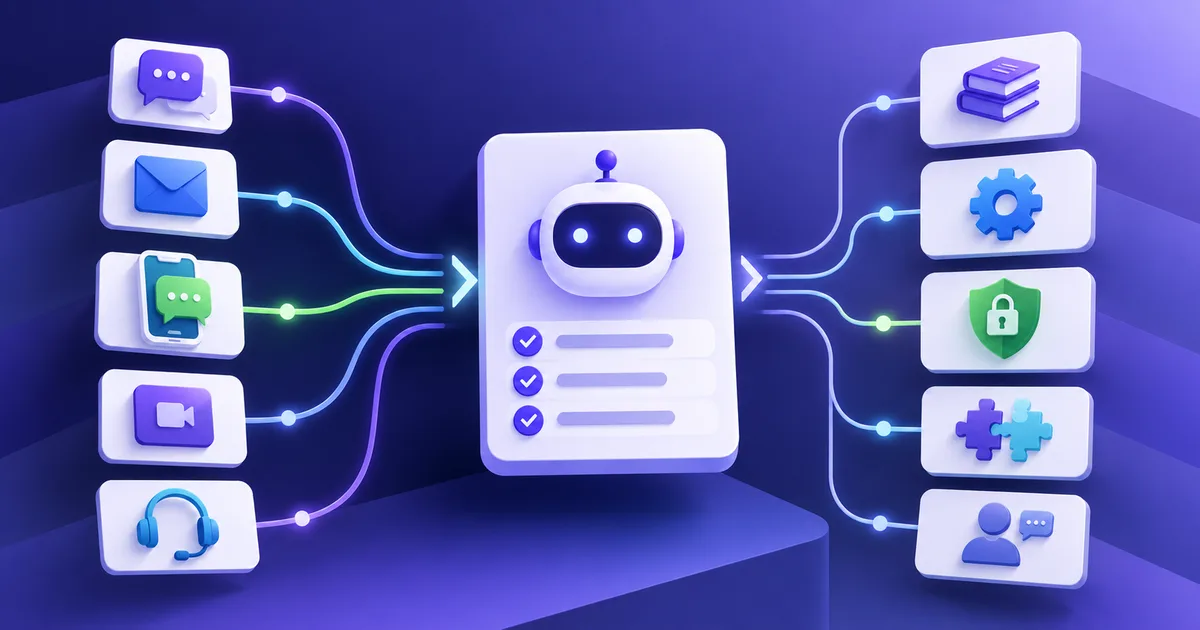
Choose an AI chatbot for business by starting with the customer task it must complete, then test its knowledge, actions, handoff, channels, integrations, data controls and operating requirements. The best option is the one that completes your verified workflow reliably, not the one with the longest feature list.
Key takeaways
- Define one customer job and its completion rule before comparing chatbot platforms or booking product demonstrations.
- Separate answer quality from action reliability: a chatbot can explain a process well and still fail to complete it.
- Test the difficult path, including missing information, unavailable tools and human transfer, rather than accepting a scripted happy-path demo.
- Include implementation work, channel costs, maintenance and human review in the buying decision, not only the subscription price.
- Use a weighted scorecard tied to your workflow so every vendor is judged against the same evidence.
What is an AI chatbot for business?
An AI chatbot for business is software that holds customer conversations using natural language and business-approved information. Depending on its connections and authority, it may answer a question, collect details, retrieve a record, complete an action or route the conversation to a person.
The label does not tell you how far the product can go. One chatbot may search a help centre. Another may check an order, change a booking and write the result to a customer record. An AI agent may use the same conversational interface while planning and completing several connected steps. The practical distinction is the behavior you can verify, as explained in the AI agent and chatbot comparison.
That is why a buyer guide should begin with the customer job, not the category name. If the job is “help a customer move an appointment,” the evaluation needs to cover identity, available slots, permitted changes, confirmation, system updates and exceptions. A general claim about conversational AI does not prove those parts work together.
For industry-specific versions of this decision, compare automotive chatbot workflows, banking chatbot boundaries, financial-service public knowledge, and travel chatbot workflows. For the conceptual difference, read chatbots answer, agents act and what an AI agent is.
Start with one customer task
Choose a request that appears often enough to matter and has a clear business owner. Examples include answering a delivery question, qualifying an enquiry, booking an appointment or collecting the details needed for a support ticket.
Write the requirement in operational terms:
- who starts the conversation and on which channel;
- what the customer is trying to accomplish;
- which information the chatbot needs;
- which sources and systems it may use;
- what it may answer, recommend, update or create;
- when it must ask a person to take over; and
- which record proves the task is complete.
“We need a WhatsApp AI chatbot” describes an interface. “A WhatsApp enquiry should receive accurate service information, answer the qualifying questions and reach an available booking slot or the right team” describes a workflow. The second statement gives you something to test.
Bring ten to twenty anonymized examples of that request to early vendor conversations. Include shorthand, misspellings, missing information and requests that are outside the intended scope. A vendor should be able to explain how those inputs become an answer, action or handoff.
Know which operating mode you are buying
AI chatbot platforms can support different operating modes. A business may use more than one, but each needs different evidence and controls.
| Mode | What it does | Evidence to request |
|---|---|---|
| Answer chatbot | Responds from approved information | Source used, answer boundary and update process |
| Lead or intake chatbot | Collects and qualifies information | Required-field handling, consent and destination record |
| Agent copilot | Drafts or retrieves for a staff member | Review flow, source visibility and correction process |
| Connected service agent | Looks up or changes a business record | Permission scope, action result, failure recovery and audit trail |
A business that needs only common website answers may not need broad action access. A customer support chatbot that changes orders needs much more careful identity, permission and exception handling. Buying more autonomy than the task requires creates operating work without necessarily improving the customer outcome.
Compare ten capabilities that affect the result
1. Knowledge and answer boundaries
Ask which sources the chatbot uses, how it selects between them and what happens when they disagree. You should be able to identify who updates a source and how quickly a correction reaches the live experience.
A useful test includes an answerable question, an outdated document and a request the sources do not cover. The chatbot should use the current approved information and admit when it cannot confirm an answer. The ZINQ knowledge layer shows how business knowledge fits within an agent workflow.
2. Workflow and action controls
List each action the chatbot may take and the conditions that permit it. Look for the narrowest access that supports the task, confirmation before consequential changes and a clear record of what the system attempted.
The OWASP guidance on excessive agency highlights risks created by excessive functionality, permissions or autonomy. The buying implication is concrete: do not connect a broad tool when a restricted action will do, and do not treat a conversational confirmation as proof that the system changed.
3. Human handoff
Specify the transfer triggers, destination queue, service hours and information that travels with the conversation. Test an explicit request for a person as well as a case where policy or authority requires one.
A good transfer gives the receiving person the customer’s goal, verified details, relevant facts, actions already attempted and current status. The customer should know that ownership has changed and what happens next. See the human handoff use case for the capability context.
4. Channel behavior
Confirm behavior on the actual channel, not only in a web demo. WhatsApp, Instagram, web chat, Telegram, email and voice have different identity signals, message formats, templates, session rules and attachment behavior.
Ask whether context can continue when a customer switches channels. If it cannot, decide whether the workflow should link, restart or route the conversation. Review ZINQ’s supported customer conversation channels as one example of a channel layer.
5. Identity and conversation context
The chatbot should distinguish what it can discuss publicly from what requires verification. Test two customers with similar names, a returning customer and a conversation that resumes after a delay.
Context should be useful but bounded. Carrying an old assumption into a new request can be as harmful as forgetting everything. Ask how staff can inspect and correct the context used for a decision.
6. Integrations and system results
Map every system involved in the chosen task: CRM, calendar, help desk, commerce platform or an internal service. Request evidence of the final record, not only a list of integration logos.
Then disconnect or fail one dependency during a controlled test. The chatbot should not report a booking, refund or update that the destination system did not accept. It should preserve the request and choose an owned recovery path.
7. Security and data handling
Document the data involved, where it flows, who can access it and how long it is retained. Ask about authentication, role-based access, audit records, sub-processors, deletion, incident handling and the controls available for your deployment.
Use your security, legal and procurement review for these decisions. The NIST AI Risk Management Framework provides a voluntary framework for governing and managing AI risk, but it does not replace an assessment of a particular product and use case.
8. Evaluation and quality review
Ask how the team can replay representative cases before releasing a change. The evaluation should check facts, actions, handoffs and final records. It should also retain enough detail to explain a failure.
Do not accept a single overall “accuracy” number without the cases, scoring rule and sample behind it. Averages can hide a critical failure on an uncommon request. The AI customer service evaluation guide provides a method you can use independently of a vendor.
9. Operating ownership
Identify who will update knowledge, approve workflow changes, review failed conversations and coordinate with support teams. Ask what tools and access those owners receive.
A fast implementation can still become stale if no one owns the answer source. Include the weekly effort needed for review and improvement in the buying decision.
10. Total implementation and operating cost
Compare the subscription with channel charges, model or message usage, implementation, integrations, support, staff review and ongoing content maintenance. Ask how costs change with conversation volume, channels, actions and retained history.
Price the first workflow and a plausible next workflow. This exposes whether a low entry price depends on work that your team must provide separately.
Use a demo script that includes the difficult path
Use the same script with every shortlisted product. Consider a hypothetical retailer whose customer wants to change the delivery address after placing an order.
- Ask, “Can you change the address on my order?” without giving an order number.
- Provide an order number but fail the required identity check.
- Pass verification and provide an incomplete new address.
- Complete the details, then make the order system return an error.
- Ask for a person while the error is unresolved.
- Inspect the support queue and order record.
The happy path matters, but steps two through six reveal whether the chatbot respects access, collects only necessary information, avoids a false confirmation and transfers useful context. Ask the vendor to explain which behavior is configurable, which requires implementation work and which is unavailable.
Anthropic’s guidance on building effective agents distinguishes simpler workflows from agents that direct their own process. Whatever architecture a product uses, your demo should measure the business result and the boundaries around it.
Score each option against the same evidence
Create a scorecard before the demonstrations. Weight the criteria according to the chosen workflow rather than giving every feature equal value.
| Criterion | Suggested evidence | Weight for this workflow | Score |
|---|---|---|---|
| Answer grounded in current source | Results from representative cases | 15 | |
| Action completed correctly | Destination-system record | 20 | |
| Failure recovery | Controlled tool-error test | 15 | |
| Human handoff | Receiving queue and context packet | 15 | |
| Channel behavior | Test on the intended channel | 10 | |
| Data and access controls | Documentation and buyer review | 10 | |
| Team operating fit | Named owners and weekly workload | 10 | |
| Cost fit | First-year workflow estimate | 5 |
Record evidence and unresolved questions beside each score. A three out of five based on a live test means something different from a three based on a planned feature.
Reject any option that fails a mandatory condition even if its weighted total is high. A product should not compensate for an unacceptable access model by scoring well on interface design.
Watch for buying signals that need a closer look
Pause and investigate when:
- the demonstration uses only vendor-written questions;
- the chatbot reports success without showing the destination record;
- “human handoff” means sending a transcript to an unowned inbox;
- every connected action receives the same broad permission;
- sources, dates or action results are difficult for staff to inspect;
- channel support excludes features needed by the workflow;
- quality claims have no disclosed cases or scoring method; or
- implementation and ongoing ownership remain undefined.
These signals do not always disqualify a product. They identify the evidence you still need.
Match the product to your operating complexity
A small team with a maintained FAQ and one website may prioritize simple source updates, clear boundaries and low operating effort. A multi-channel support operation may need shared identity, queue routing, connected actions, detailed permissions and change controls.
Do not imitate the most complex deployment you can imagine. Choose the smallest setup that completes the chosen customer task and can be operated by the people available. Add a channel, integration or autonomous action only when it improves a defined outcome and has an owner.
Where ZINQ fits
ZINQ is an AI agent platform for customer operations across WhatsApp, Instagram, web chat, Telegram, email and voice. It connects conversations with business knowledge, workflow actions and human handoff for tasks such as enquiry handling, qualification, booking, follow-up and support.
Use the same buyer-controlled process when evaluating ZINQ. Bring a real workflow, representative examples, required systems and handoff rules to the conversation. The customer service page describes the relevant product capabilities; a demonstration should then show how the proposed workflow behaves in your operating context.
Frequently asked questions
What is the best AI chatbot for a small business?
The best fit depends on the task, channel and available operating owner. A small business may value quick setup and a maintained answer source, while a team that needs bookings or order changes should give more weight to integrations, action controls and recovery when a system fails.
What should an AI chatbot demo include?
Use your own representative questions and ask the vendor to show an incomplete request, an unsupported request, a failed integration and an explicit request for a person. Verify the resulting ticket, booking or customer record instead of judging the conversation alone.
How is an AI chatbot different from an AI agent?
An AI chatbot primarily conducts the conversation. An AI agent may also use tools and follow a multi-step workflow to complete an outcome. Product labels vary, so evaluate the permitted actions and evidence rather than relying on the name.
Which channels should a business chatbot support?
Start with the channels customers already use and the workflows your team can operate well. Check how identity, context, attachments, consent and handoff behave on each channel because support for a channel name does not guarantee equivalent behavior.
Conclusion
A useful buying process turns one real customer workflow into an acceptance test, a demo script and a weighted scorecard. Compare the evidence for that workflow, including its failure and handoff paths, then account for the people and maintenance needed after launch. Expand only after the first workflow has a clear owner and a result you can verify.
READY TO SEE ZINQ IN ACTION?
From first enquiry to conversion, follow-up and support, ZINQ helps automate the next step while keeping your team in control.
Book a DemoRelated articles
-
AI agent vs chatbot: which does your workflow need?
A chatbot is a conversational interface, while an AI agent can use tools and choose steps toward a task. The capabilities overlap, so compare what a system can actually complete rather than relying on its label.
Pavan · June 17, 2026 · AI Agents & Conversational AI -
Conversational AI for customer service across channels
Conversational AI for customer service is software that understands a customer's message, uses approved business information to answer and can route or complete configured next steps. Across WhatsApp, Instagram, web chat, Telegram, email and voice, the operating model is the same: identify the intent, get the right context, act within limits and hand off when human judgment is needed.
Pavan · July 29, 2026 · AI Agents & Conversational AI -
Is ZINQ a fit for your customer workflow?
Assess ZINQ against the customer task you need to complete, the systems involved and the team's operating requirements. A useful evaluation demonstrates the supported workflow and its exceptions without assuming that one product is best for every business.
Pavan · June 10, 2026 · Product & Company