WhatsApp Business API: what growing teams need to know
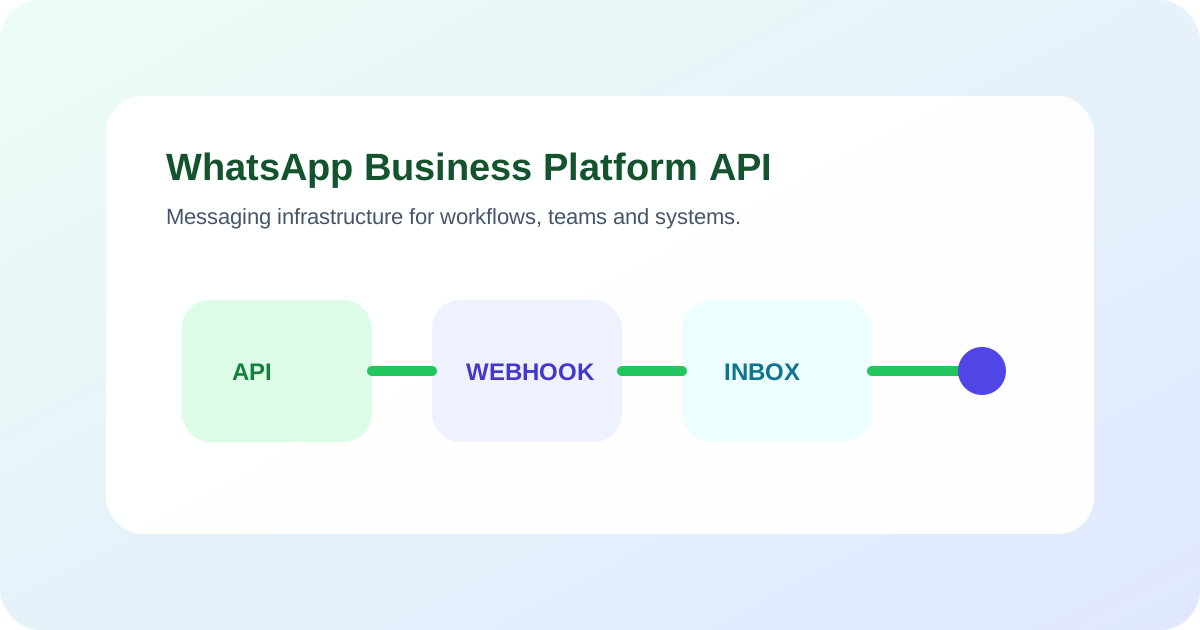
The WhatsApp Business Platform API lets a business connect WhatsApp messaging to software, webhooks and operational workflows. Growing teams need to plan account ownership, consent, templates, phone-number setup, message events, integrations, human inbox access, security, monitoring and current pricing.
Key takeaways
- The API is infrastructure for messaging; it does not supply your workflow, knowledge or support process.
- Keep the business account, phone number and administrative access under clear company ownership.
- Design webhooks and outbound actions for retries, duplicates, delayed events and partial failures.
- Plan human inbox ownership and conversation state before automating customer messages.
- Check current Meta documentation and pricing when implementing because platform rules change.
What is the WhatsApp Business Platform API?
The WhatsApp Business Platform API is Meta’s infrastructure for businesses to send and receive WhatsApp messages through software. It lets an application receive message events, send permitted responses and templates, and connect conversations to systems such as a CRM, help desk, calendar or commerce platform.
The API does not decide what your business should say or do. It does not automatically provide an AI chatbot, maintained knowledge, appointment logic, customer verification or a staffed support queue. Those layers belong to your application or a provider built on the platform.
This article uses “WhatsApp Business API” and “WhatsApp bot API” because buyers search those terms. For current implementation resources, use the official WhatsApp Business developer hub.
If the buying question is automation rather than API access, read the guide to WhatsApp chatbot setup, WhatsApp pricing, and managing WhatsApp and web chat in one support operation. Travel teams should also review routing travel booking changes to an operator before putting booking changes into a messaging flow. For the channel page, use WhatsApp.
Understand the components you will operate
A production setup normally involves several distinct components:
- a Meta business portfolio and WhatsApp Business Account;
- one or more registered business phone numbers;
- administrative roles and system access;
- the Cloud API or a provider connection;
- webhook endpoints for inbound and status events;
- approved message templates where required;
- application logic, chatbot or AI agent;
- customer data and connected business systems;
- a human inbox and routing process; and
- monitoring, logs and incident ownership.
Draw these components before selecting a provider. Mark which organization owns each account, credential, dataset and integration. This makes future migration and incident response much easier.
Keep account and number ownership clear
The business should know who controls the Meta business portfolio, WhatsApp Business Account, phone number and administrative access. Avoid a setup where only an external contractor can reach a critical account.
Create role-based access for the people and systems that need it. Record how access is reviewed when staff or providers change. Keep recovery information current and protect credentials outside of documents and chat messages.
Ask a provider:
- Is the WhatsApp Business Account created under our company?
- Who controls the phone number and display-name process?
- Which assets and data can we export?
- What happens to the number, templates and history if we leave?
- Which administrative tasks require the provider?
The answers may vary by setup. Get them in writing before the channel becomes operationally important.
Design the inbound event path
Webhooks notify your application about events such as inbound messages and relevant message statuses. Meta’s official WhatsApp Business Platform Postman documentation describes webhook callbacks and subscriptions.
Your event handler should:
- verify the request using the supported mechanism;
- acknowledge events within the required operating window;
- store a stable event or message identifier;
- handle duplicates without duplicating work;
- place processing into a recoverable queue where appropriate;
- connect the event to the correct customer and conversation;
- retain permitted diagnostic information; and
- alert an owner when failures persist.
Do not assume events always arrive once and in perfect order. Network and downstream failures happen. Idempotency means processing the same event again does not create a second booking, ticket or reply.
Separate channel state from workflow state
A delivered WhatsApp message is a channel event. A completed refund, accepted appointment or owned support case is a business event. Store both without treating them as interchangeable.
For an appointment reminder:
- template accepted is not customer delivery;
- delivered is not customer confirmation;
- customer reply is not calendar update; and
- calendar update is not complete until the destination system confirms it.
Build a state model that reflects the customer task. This makes monitoring and recovery more useful than a dashboard containing message counts alone.
Plan business-initiated messages and templates
Businesses must follow current WhatsApp rules for consent and business-initiated messaging. Templates are approved message structures used where required. Meta notes that businesses on the platform can initiate messages using pre-approved templates in its business chat policy update.
Create a template inventory with:
- purpose and owner;
- applicable customer consent;
- current category and language;
- variables and their source;
- workflow that triggers it;
- stop or opt-out behavior;
- fallback when sending fails; and
- last review date.
Do not place sensitive or unreliable values into a template without reviewing the data path. Preview variable substitution with empty, long and multilingual values.
Connect systems with restricted actions
Map the minimum API and business-system permissions required for each workflow. An order-status assistant may need read access to a limited order endpoint. It does not necessarily need access to refunds or customer exports.
Define the action contract:
| Action | Required input | Success evidence | Failure route |
|---|---|---|---|
| Find booking | Verified reference | Matching record returned | Ask for supported detail or route |
| Move booking | Eligible slot and confirmation | Calendar update accepted | Preserve request and hand off |
| Create support case | Customer goal and required fields | Ticket identifier returned | Retry safely or alert owner |
| Send follow-up | Consent and approved trigger | Message request accepted | Record failure; do not duplicate |
Use the ZINQ connectors page to understand the product’s integration layer, then verify the exact connector and action needed for your environment.
Build human inbox ownership into the design
Decide where a person sees a conversation, how it is assigned and when automation pauses. A team that grows beyond one operator needs shared ownership, status and routing rather than a single phone screen.
Define:
- conversation states;
- queues and staff availability;
- transfer triggers;
- context included in the handoff;
- response expectations shown to customers;
- supervisor visibility; and
- the fallback for unaccepted conversations.
The omnichannel inbox page describes ZINQ’s shared-inbox capability. Test your real queue and permissions during evaluation.
Prepare for partial failures
Customer workflows can fail after one step succeeds. A message can be sent while the CRM write fails, or a booking can be created before confirmation delivery fails.
For every multi-step workflow, record which steps are reversible and which must be reconciled. Use a stable workflow identifier across channel and business records.
| Failure | Unsafe response | Safer operating response |
|---|---|---|
| Duplicate inbound event | Create a second task | Detect identifier and reuse result |
| CRM unavailable | Pretend the lead was saved | Preserve the message and retry or route |
| Action succeeds, reply fails | Repeat the action | Read current state before retrying message |
| Template rejected | Send unrelated fallback | Stop, record reason and use an approved path |
| Human queue unavailable | Promise a live transfer | State actual next step and retain ownership |
Test these cases before volume grows. Recovery logic is part of the customer experience.
Review security, privacy and retention
Document the customer data that enters WhatsApp, your provider, the chatbot layer and connected systems. Identify controllers, processors, retention periods, access roles, deletion paths and incident responsibilities under the laws and contracts applicable to you.
Avoid collecting information simply because the conversation interface makes it easy. Use the minimum data required for the workflow and appropriate verification before exposing account-specific information.
This article is an implementation framework, not legal advice. Ask qualified privacy, security and legal owners to review the actual deployment.
Compare cost without relying on one headline price
The total cost can include Meta message charges, provider fees, platform usage, implementation, integrations, inbox seats, support and ongoing operations. Meta’s current platform pricing page is the starting point for categories and current pricing information.
Build estimates for actual workflows and markets. Separate inbound support, utility messaging, authentication and marketing behavior as applicable under current rules. The WhatsApp pricing guide provides a calculation method without treating one temporary rate as permanent.
Use a provider evaluation checklist
Ask each provider to demonstrate:
- company-controlled account and number setup;
- inbound messages and webhook visibility;
- approved template creation and variables;
- duplicate-event handling;
- one required integration with destination evidence;
- failed-action recovery;
- human assignment and context transfer;
- permission and audit controls;
- data export and provider exit process; and
- a cost estimate that separates Meta and provider charges.
Bring your own test messages and systems. A polished demo environment cannot answer how your workflow behaves with incomplete data or a failed dependency.
Where ZINQ fits
ZINQ uses supported channels, including WhatsApp, as entry points into customer-operation workflows. Conversations can connect with configured knowledge, actions, customer context and human handoff.
Review the WhatsApp channel page and workflow platform, then test one business outcome end to end. The evaluation should include the WhatsApp event, the ZINQ conversation, the connected-system result and the human recovery route.
Frequently asked questions
What is the WhatsApp Business API called now?
Meta's current product is the WhatsApp Business Platform, with Cloud API resources for API-based messaging. People still commonly search for WhatsApp Business API or WhatsApp bot API.
Does the WhatsApp Business Platform include a chatbot?
The platform provides messaging infrastructure. A chatbot or AI agent, business knowledge, workflow logic, integrations and human inbox must be configured through your own system or a provider.
Why are webhooks important for WhatsApp automation?
Webhooks notify your system about inbound messages and relevant status events. Your application uses them to update conversation state, trigger work and recover from failures without relying on manual polling.
How should a growing team choose a WhatsApp provider?
Compare account ownership, supported workflows, integration evidence, inbox and handoff behavior, security responsibilities, implementation support, observability, Meta charges and provider fees.
Conclusion
Treat the WhatsApp Business Platform as a production integration, not a messaging toggle. Preserve company ownership, define the event and data model, restrict actions, operate a human route and test retries and failures. Then connect customer workflows one at a time.
READY TO SEE ZINQ IN ACTION?
From first enquiry to conversion, follow-up and support, ZINQ helps automate the next step while keeping your team in control.
Book a DemoRelated articles
-
WhatsApp per-message pricing: what businesses should check
WhatsApp Business Platform pricing depends on delivered messages, their category and the recipient market. Service messages are free within the customer service window; this does not mean every reply or every cost in your messaging setup is free.
The ZINQ team · July 2, 2025 · WhatsApp for Business -
Managing WhatsApp and web chat in one support operation
WhatsApp and web chat can share a support operation while retaining different identity, messaging and follow-up rules. Define queue ownership and supported contact association rather than assuming that every conversation automatically becomes one customer history.
Pavan · June 30, 2026 · Omnichannel -
Linking customer conversations safely across channels
Linking conversations across channels requires reliable identity evidence and appropriate access controls. A mistaken merge can reveal another customer's information, so uncertain matches need a review or verification path.
The ZINQ team · June 5, 2026 · Omnichannel