Abandoned Cart Recovery: A Practical Workflow for Ecommerce Stores
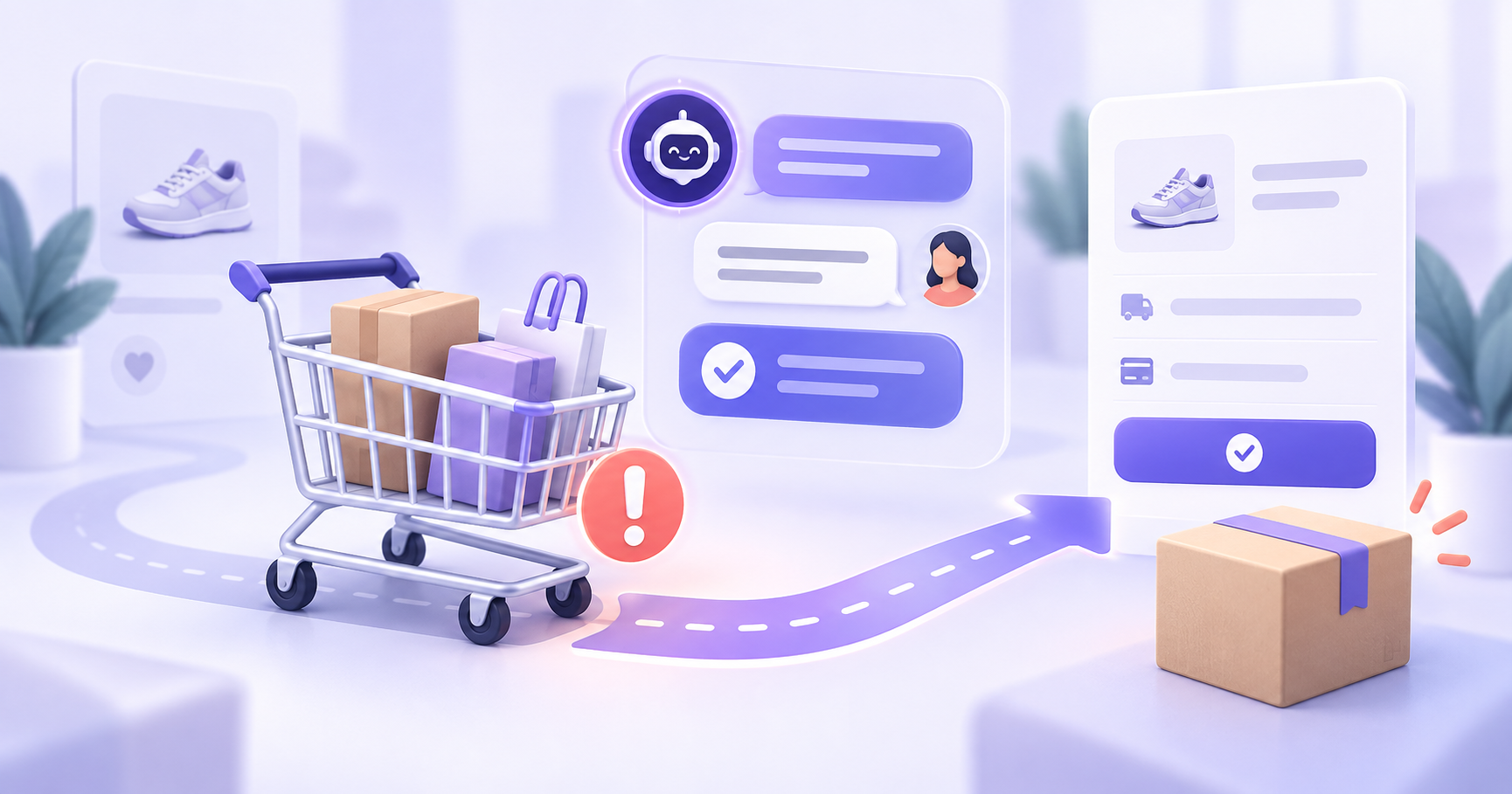
Abandoned cart recovery is the process of reconnecting with shoppers who added products to their cart but did not complete checkout. An effective cart recovery workflow identifies what stopped the purchase, answers the shopper’s questions, and gives them a clear path back to checkout.
Key takeaways
- Cart recovery works best when it addresses the reason a shopper paused instead of sending repeated reminders.
- An ecommerce AI chatbot can answer common questions about products, delivery, payment, returns, and exchanges using approved store information.
- WhatsApp, email, Instagram, web chat, and SMS serve different roles in an abandoned cart recovery campaign.
- Stop rules should end automated messages after a purchase, opt-out, human handoff, expired cart, or unavailable product.
- Measure replies, answered questions, checkout clicks, purchases, handoffs, and stop events instead of tracking only messages sent.
What is abandoned cart recovery?
Abandoned cart recovery is the process of reconnecting with shoppers who added products to their cart but did not complete checkout. It usually involves an email, WhatsApp message, SMS, web chat conversation, or another follow-up that helps the shopper return to their cart.
A basic abandoned cart message reminds the shopper that an item is waiting. A stronger cart recovery workflow identifies and resolves the question that stopped the purchase.
A customer may leave without completing checkout because:
- Delivery charges appeared late in the checkout process.
- The shopper was unsure about product size, fit, color, or specifications.
- The customer wanted to know whether cash on delivery was available.
- A product question was not answered quickly enough.
- The checkout page or payment process failed.
- The shopper wanted to compare alternatives.
- The customer needed reassurance about returns or exchanges.
Abandoned cart recovery should involve more than repeated reminders or discount codes. Many shoppers need a useful answer before they can make a purchase decision.
Why do standard abandoned cart reminders miss shoppers?
Most abandoned cart recovery campaigns are based mainly on timing. A store might send the first reminder after one hour, another after one day, and a final message with a discount after two days.
This approach can bring some shoppers back, but it does not explain why they abandoned the cart.
A shopper asking, “Will this arrive before Friday?” needs a delivery answer. Someone asking, “Which size should I choose?” needs product guidance. A customer concerned about the exchange policy needs reassurance before making the payment.
An ecommerce AI chatbot can answer common buying questions using approved product, delivery, payment, and policy information. When the chatbot cannot provide a reliable answer, it should transfer the conversation to a team member with the customer’s question and cart context.
How does an abandoned cart recovery workflow work?
A practical cart recovery workflow connects cart activity with customer conversations. It should detect an incomplete purchase, contact the shopper through an appropriate channel, answer common buying questions, and stop when further follow-up is unnecessary.
The following six steps provide a useful starting point.
1. Define when a cart should enter recovery
Do not send a recovery message every time someone adds a product to their cart. First, define the events and conditions that should start the workflow.
A cart recovery workflow might begin when:
- A product was added to the cart, but checkout was not started.
- Checkout was started, but payment was not completed.
- The shopper can be contacted through an approved channel.
- The shopper has given the required messaging consent.
- The products are still available.
- No purchase has occurred since the cart was created.
Accurate triggers protect the customer experience. A reminder sent after the customer has already purchased feels careless. A message promoting an unavailable product creates frustration. A message sent without the appropriate permission may also create compliance and trust problems.
2. Begin the conversation by offering help
The first abandoned cart message should give the shopper a useful reason to respond. Avoid opening with pressure or immediately offering a discount.
For example:
“Still deciding on the items in your cart? I can help with product details, sizing, delivery, payment, or returns.”
This message acknowledges the incomplete cart while inviting the shopper to explain what they need. It also creates a natural opening for an AI shopping assistant or customer support chatbot to answer the question.
When the shopper replies, the workflow should move from reminder mode into conversation mode.
3. Select the right recovery channel
The best cart recovery channel depends on the shopper’s previous interaction, messaging consent, and the type of help they need.
| Channel | Best use | What to consider |
|---|---|---|
| Detailed reminders, product images, offers, and policy links | Shoppers may overlook an email when they need a quick answer | |
| Delivery questions, COD confirmation, product help, and checkout links | Requires customer consent and careful message timing | |
| Web chat | Helping shoppers who return to the website | The shopper must return before the conversation can continue |
| Instagram DM | Product discovery, style questions, and social-commerce conversations | Previous conversation context should remain available |
| SMS | Short cart reminders and direct checkout links | Provides limited space for detailed product support |
WhatsApp cart recovery can work well for ecommerce stores because shoppers can reply with questions about products, delivery, payment, and returns. It should form part of a connected workflow.
If someone discovers a product on Instagram, visits the website, and later replies through WhatsApp, the team should be able to see the relevant conversation context.
4. Answer the question blocking the purchase
A useful ecommerce AI chatbot should help the shopper resolve the specific concern preventing checkout.
Depending on the store’s approved information and configured workflows, the AI chatbot may help with:
- Product details and specifications.
- Size or fit guidance based on approved rules.
- Delivery timelines and service availability.
- Return and exchange policies.
- Cash-on-delivery or prepaid payment questions.
- Comparisons between relevant products.
- Alternative products when an item is unavailable.
- Resending a checkout link.
- Transferring the conversation to a team member.
The AI agent should answer only from approved business information. It should not invent delivery estimates, product details, stock availability, or policy exceptions.
When reliable information is unavailable, the workflow should acknowledge the limitation and route the conversation to the right person.
5. Add clear stop rules
Abandoned cart automation can quickly become repetitive if it does not know when to stop. Define the stop rules before adding more reminders.
The recovery sequence should stop when:
- The customer completes the purchase.
- The customer says they are no longer interested.
- The product becomes unavailable.
- The checkout link expires.
- The shopper requests help from a person.
- The maximum number of reminders has been reached.
- Another active support conversation is already open.
- The shopper withdraws messaging consent.
These rules prevent unnecessary messages and reduce the chance of contacting customers with outdated information.
A configured ecommerce AI agent can use events and conversation context to decide whether another action is appropriate. For example, it should not continue sending promotional reminders while the shopper is discussing a payment problem with the support team.
6. Measure the complete recovery journey
The number of messages sent does not show whether a cart recovery workflow is useful. Measure what happens throughout the conversation.
Useful cart recovery events include:
- Recovery message sent.
- Message delivered.
- Shopper replied.
- Buying question identified.
- Question answered.
- Checkout link requested or clicked.
- Purchase completed.
- Human handoff created.
- Workflow stopped after a purchase.
- Workflow stopped after the shopper declined.
- Revenue recovered where attribution can be measured reliably.
Use revenue attribution carefully. A shopper may return because of an email, a paid advertisement, a WhatsApp conversation, or their original purchase intent. Avoid assigning every recovered order to the last message without supporting evidence.
What does an AI cart recovery conversation look like?
Consider a hypothetical example involving an online skincare store.
A shopper adds two products to their cart but leaves before completing payment. One hour later, the store’s WhatsApp cart recovery workflow sends this message:
“Still deciding on the items in your cart? I can help with product details, delivery, payment, or returns.”
The shopper replies:
“Will these products reach Mumbai by Friday?”
The AI chatbot checks the store’s approved shipping information and responds:
“Standard delivery usually takes three to five working days. Express delivery is available for eligible pincodes at checkout. Would you like me to send your checkout link again?”
The shopper then asks:
“Can I exchange the product if it does not suit me?”
The chatbot answers using the store’s approved return and exchange policy. It then offers to resend the checkout link.
If the shopper asks for a policy exception or provides information that requires judgment, the AI agent transfers the conversation to a team member. The handoff includes the products in the cart, the questions asked, and the previous messages.
This workflow helps the shopper address the concern that interrupted the purchase instead of sending several generic discount reminders.
When should a person take over the conversation?
AI can handle frequent questions when the answer is supported by approved information. A person should take over when the request requires judgment, negotiation, investigation, or an exception.
Human handoff may be appropriate when:
- The customer requests a special discount.
- A payment was deducted but the order was not confirmed.
- The shopper asks for an exception to the return policy.
- Delivery information is uncertain.
- The order involves a high-value or complex purchase.
- The customer is frustrated or explicitly requests a person.
- The chatbot cannot find a reliable answer.
The handoff should include the customer’s cart, relevant messages, and the reason for escalation. This prevents the shopper from having to explain the same situation again.
Learn more about using human handoff in AI-supported conversations.
What should you avoid in a cart recovery campaign?
A cart recovery campaign can create more friction when messages are poorly timed, repetitive, or disconnected from the shopper’s needs.
Sending too many reminders
More messages do not automatically produce more recovered carts. Set a clear contact limit and stop when the customer declines.
Offering a discount too early
An immediate discount can reduce margin even when the shopper only needs an answer about delivery or product fit. Begin by offering useful assistance.
Ignoring completed purchases
Connect purchase events to the recovery workflow so reminders stop as soon as the order is confirmed.
Giving unsupported answers
An AI chatbot should use approved information and configured workflows. It should escalate questions when the available information is incomplete.
Treating every abandoned cart the same
A first-time visitor comparing products may need different assistance from a returning customer whose payment failed. Use available context to choose the next appropriate action.
Separating recovery from customer support
A shopper’s cart question may become a delivery, payment, product, or policy conversation. Keep the context available when the conversation moves between automation and your team.
Where does ZINQ fit into cart recovery?
ZINQ helps ecommerce teams manage cart recovery as a customer conversation. Its AI agents can answer supported product and policy questions, follow configured workflows, and transfer conversations to a person when judgment is required.
Cart recovery can operate alongside other ecommerce conversations, including:
- Product discovery and recommendations.
- Delivery and payment questions.
- Order-status enquiries.
- Returns and exchanges.
- Customer support.
- Customer win-back campaigns.
- Post-purchase follow-up.
ZINQ supports customer conversations across WhatsApp, Instagram, web chat, Telegram, and email. This allows the customer’s context to move with the conversation instead of being separated across different tools.
Explore how an AI agent for ecommerce can support cart recovery, product questions, order enquiries, and customer service.
Frequently asked questions
What is abandoned cart recovery?
Abandoned cart recovery is the process of contacting shoppers who added products to their cart or started checkout but did not complete their purchase. Recovery methods can include email, WhatsApp, SMS, web chat, retargeting, and assisted customer conversations.
How soon should an abandoned cart message be sent?
The right timing depends on the product, buying cycle, customer consent, and channel. Many stores begin after the cart has been inactive for a defined period. The workflow should first confirm that the shopper has not completed the purchase and that the products are still available.
Does abandoned cart recovery require a discount?
No. A shopper may have paused because of a product, delivery, payment, or return-policy question. Answering that question can be more useful than offering an immediate discount and may protect your margin.
Can an AI chatbot recover abandoned carts?
An AI chatbot can support cart recovery by answering approved product and policy questions, resending checkout links, and routing complex requests to a person. Its answers should come from maintained business information and configured workflows.
Which channel is best for cart recovery?
The best channel depends on the customer’s consent and previous activity. Email works well for detailed reminders, WhatsApp supports two-way conversations, SMS suits short messages, and web chat helps shoppers when they return to the website.
When should a cart recovery conversation be transferred to a person?
Transfer the conversation when the shopper requests a person or needs a policy exception, payment investigation, special discount, uncertain delivery answer, or another decision that requires human judgment.
READY TO SEE ZINQ IN ACTION?
From first enquiry to conversion, follow-up and support, ZINQ helps automate the next step while keeping your team in control.
Book a DemoRelated articles
-
How to Automate Order Tracking and Support With AI
An AI order-tracking workflow should verify the customer, retrieve the correct order, and explain the latest recorded status in clear language. When order data is unavailable, contradictory, or shows a delivery problem, the workflow should create an owned support request instead of guessing.
Shubham · September 18, 2026 · Industries → Ecommerce -
Reducing repetitive ecommerce support work with AI
Ecommerce teams can use AI to handle supported routine questions, but ticket reduction depends on the request mix, source quality and whether customers actually resolve their issues. There is no universal percentage a store should expect.
Pavan · June 22, 2026 · Industries → Ecommerce