How to Automate Order Tracking and Support With AI
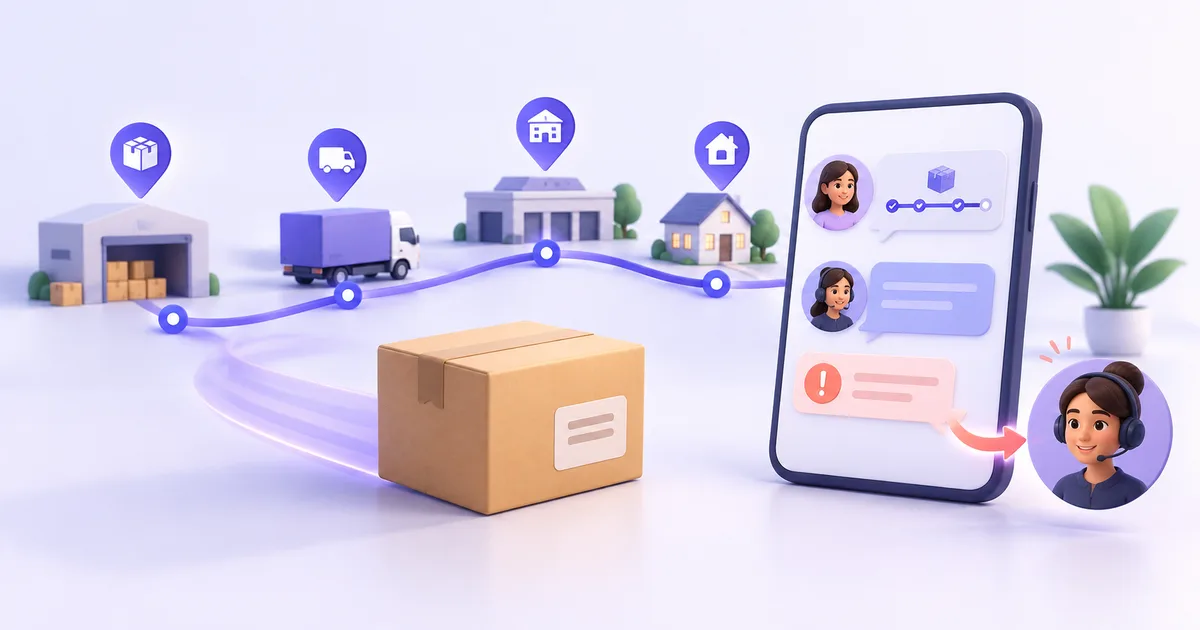
An AI order-tracking workflow should verify the customer, retrieve the correct order, and explain the latest recorded status in clear language. When order data is unavailable, contradictory, or shows a delivery problem, the workflow should create an owned support request instead of guessing.
Key takeaways
- Verify the customer before revealing order, delivery, address, or payment information.
- Use authorised order and fulfilment records as the source of truth for every status answer.
- Translate operational statuses into plain language without promising an unconfirmed delivery date.
- Route delays, missing parcels, payment disputes, and contradictory records to the responsible team.
- Measure resolved requests, repeat contacts, escalations, and incorrect answers alongside response speed.
What is AI order-tracking support?
AI order-tracking support helps customers understand the recorded status of an order through a chatbot or messaging conversation.
A customer may ask:
- “Where is my order?”
- “Has my order shipped?”
- “Why is my parcel delayed?”
- “When will my package arrive?”
- “The tracking says delivered, but I cannot find it.”
- “Can I change the delivery address?”
These questions may look similar, but they do not require the same response. A routine status request may be answered from an authorised order record. A missing parcel or payment problem requires investigation.
What should an order-tracking chatbot do?
A reliable workflow performs five jobs:
- Verify the customer using the store’s approved method.
- Identify the correct order.
- Retrieve the latest authorised order and fulfilment information.
- Explain the recorded status in plain language.
- Route exceptions to the responsible team.
The chatbot should not infer that an order has shipped because payment succeeded. It should not promise delivery on Friday when the carrier record shows only an estimate.
1. Verify the customer before sharing order information
Order records may contain names, addresses, products, payment details, and delivery information. The workflow needs an approved verification step before revealing private details.
Depending on the store’s process, the customer may provide:
- An order number.
- The email address or phone number used for the purchase.
- A verification code.
- Another approved identifier.
Collect only what the workflow needs. If verification fails, do not reveal whether a private order exists.
2. Retrieve the correct order
A customer may have several orders, partial shipments, cancelled items, or multiple packages under one purchase.
The workflow should distinguish among:
- Order created.
- Payment confirmed or pending.
- Unfulfilled order.
- Partially fulfilled order.
- Shipment created.
- In-transit shipment.
- Delayed shipment.
- Delivered shipment.
- Cancelled or refunded order.
- Return in progress.
Use the store’s authorised order and fulfilment records. An earlier customer message should not replace the current order record.
3. Translate the status into useful language
Customers rarely need the internal status label by itself. They need to know what happened and what they should do next.
| Recorded status | Useful customer response |
|---|---|
| Order confirmed | Confirm that the order was received and explain the next recorded step |
| Unfulfilled | Explain that the order has not yet been marked as dispatched |
| In transit | Share the latest recorded tracking event and available tracking link |
| Delayed | Acknowledge the delay and explain the next available support step |
| Delivered | Share the recorded delivery event and help with a missing-delivery process when needed |
| Status unavailable | Explain that the current record cannot confirm the status and create an owned support request |
Do not turn an estimate into a promise. If a source says “expected by Friday,” describe it as the current estimate.
4. Detect questions that need investigation
Some order enquiries cannot be resolved with a status response.
Create a human handoff when:
- Payment was taken but no order appears.
- The customer cannot pass the approved verification step.
- Two systems display conflicting information.
- A parcel appears delayed beyond the store’s process.
- Tracking says delivered, but the customer cannot find the parcel.
- The customer reports damage or missing items.
- An address change is requested after dispatch.
- Fraud or account security may be involved.
- The customer asks for an action the workflow cannot perform.
The handoff should include the verified customer, order reference, latest recorded status, customer’s question, and actions already attempted.
5. Prevent duplicate or outdated replies
Order information changes. A shipment may move while the conversation is open, or a team member may already be investigating the problem.
Before sending another response, check whether:
- The order status changed.
- The issue already has an owner.
- The customer opened another conversation.
- The parcel was delivered.
- A refund, replacement, or return process began.
- The customer asked to stop receiving messages.
This reduces contradictory answers and repeated requests.
What does an order-tracking conversation look like?
Consider a hypothetical example.
A customer sends a WhatsApp message:
“Where is my order? It was meant to arrive this week.”
The AI chatbot asks for the approved order-identification details. After verification, it retrieves the latest recorded shipment event.
It responds:
“The latest carrier update shows that your parcel reached the local sorting facility this morning. The carrier currently shows tomorrow as the estimated delivery date. You can follow the tracking link here.”
If the carrier has not updated the parcel for longer than the store’s defined exception period, the chatbot creates a support request instead:
“The shipment has not received a new carrier update within the expected period. I have sent the order and tracking details to the support team for review.”
The workflow explains what the records show and gives the issue an owner.
What should you test before launch?
Test routine requests and failure paths.
Include:
- Valid order and verified customer.
- Unknown order number.
- Identity mismatch.
- Several orders for one customer.
- Partial shipment.
- Multiple tracking numbers.
- Stale carrier update.
- Delivered but missing parcel.
- Cancelled order.
- Returned or refunded order.
- Unavailable order system.
- Existing open support request.
A successful test should confirm that the chatbot gives the correct answer, protects private information, and transfers uncertain cases.
How should order-support automation be measured?
Track:
- Order-status conversations.
- Customers successfully verified.
- Routine questions answered.
- Human handoffs created.
- Repeat contacts for the same order.
- Reopened issues.
- Incorrect or corrected answers.
- Time until an exception receives an owner.
- Customer feedback after resolution.
A fast initial reply does not prove the customer’s issue was resolved. A delayed parcel may still require several support actions after the first response.
What mistakes should you avoid?
Sharing order information before verification
An order number alone may not be enough under your store’s privacy process. Apply the approved verification method before displaying private details.
Treating every status request as routine
A delayed, damaged, missing, or disputed order requires a different workflow from a simple tracking request.
Promising an unconfirmed delivery date
Repeat the estimate from the authorised source and make it clear that it is an estimate.
Guessing when information is missing
If the order or carrier record is unavailable, create an owned support request.
Sending outdated updates
Check the current order state before sending another message. Stop automated follow-up when the issue already has a person responsible for it.
Measuring only response time
Track whether the request was resolved, reopened, corrected, or transferred.
Where does ZINQ fit?
ZINQ can help ecommerce teams answer supported order and delivery questions across WhatsApp, Instagram, web chat, Telegram, and email.
When connected through an approved workflow to authorised information, the AI agent can collect verification details, explain the recorded status, and route exceptions to your team. The team receives the conversation context instead of asking the customer to begin again.
Explore how an AI agent for ecommerce can support order questions, product discovery, cart recovery, returns, and customer service.
Frequently asked questions
What is an AI order-tracking chatbot?
An AI order-tracking chatbot helps customers check an order’s recorded payment, fulfilment, shipment, or delivery status through conversation. It should use authorised order data and transfer exceptions that require investigation.
What information should customers provide?
The required information depends on the store’s identity and privacy rules. A workflow may request an order number and another approved verification detail before displaying private order information.
Can an AI chatbot provide an exact delivery date?
It should provide an exact date only when an authorised source supplies one. If the carrier or fulfilment record shows an estimate, describe it as an estimate and avoid creating a guarantee.
Which order questions require human support?
Payment disputes, suspected fraud, missing deliveries, damaged products, address changes after dispatch, identity mismatches, and contradictory records usually need an accountable team member.
Can order tracking work over WhatsApp?
Yes, when the business has the required consent and an approved way to verify the customer and retrieve the order record. The same workflow can also operate through web chat and other supported messaging channels.
READY TO SEE ZINQ IN ACTION?
From first enquiry to conversion, follow-up and support, ZINQ helps automate the next step while keeping your team in control.
Book a DemoAdditional resources
-
Reducing repetitive ecommerce support work with AI
Ecommerce teams can use AI to handle supported routine questions, but ticket reduction depends on the request mix, source quality and whether customers actually resolve their issues. There is no universal percentage a store should expect.
Pavan · June 22, 2026 · Industries → Ecommerce -
AI customer service: an operating guide for support teams
AI customer service uses AI to assist, answer, retrieve, act or route within a support workflow. Operate it by assigning owners, defining request-level authority, maintaining knowledge and integrations, testing changes, reviewing failures and measuring the customer's completed outcome.
Kushal Verma · June 8, 2026 · Customer Support & CX -
How to configure a no-code AI support agent
Configure an AI support agent by defining its scope, adding approved knowledge, connecting supported channels and setting a human handoff path. Test representative questions and failures before allowing it to serve the full queue.
Pavan · June 17, 2026 · Customer Support & CX